How to Apply an EMF Neutraliser Disc: A Step-by-Step Guide for Phones and Home Devices
To apply an Aulterra EMF neutraliser disc, clean and dry the back of your phone or the inside of its case, peel the disc, and press it on firmly, clear of camera lenses and ports. Use one disc per device, check wireless charging still works, and treat Aulterra's packaging instructions as the final word.
Most people buy a disc and then hesitate over where it goes. That hesitation is reasonable. A disc stuck over a camera lens, on a vent or on a case that peels off in a week does not serve anyone. This guide covers placement for your phone, tablet, laptop, cordless phone, router and smart speaker, and then shows how discs fit into a wider routine at home.
This post is deliberately practical. It assumes you have bought a disc or are about to, and want clear instructions. It does not try to prove the product works. I will be upfront about what a disc is, what the mainstream science says, and where EMF Neutralizer's own view differs from it.
Key Takeaways
- A neutraliser disc is a harmonising product, not a shield. It is not designed to block signal, and mainstream research has not confirmed harmonising effects.
- ARPANSA sets Australian exposure limits for radiofrequency (RF) fields. Discs are not a substitute for those limits and do not change them.
- Clean, dry, flat surfaces hold the adhesive best. Check your case type before you stick anything down.
- Plan one disc per device, and keep every disc clear of camera lenses, ports, vents, speaker grilles and microphones.
- If you use wireless charging, test it after placement. Aulterra's packaging instructions override anything in this guide.
- Never apply anything to a smart meter. It belongs to your electricity utility.
- Discs work best as one layer in a wider routine, not as the only thing you do.
Protect your family from EMF exposure
Browse our science-backed neutralizer products.
Shop EMF ProtectionSummary Table
- Where the disc goes
- Back of the phone, or inside the case
- What to watch for
- Camera lenses, ports, wireless charging
- Where the disc goes
- Back of the tablet, or inside the cover
- What to watch for
- Camera, speaker grilles, folding covers
- Where the disc goes
- Flat area on the underside, or the back of the lid
- What to watch for
- Vents, rubber feet, hot zones
- Where the disc goes
- Back of the handset and on the base station
- What to watch for
- Charging contacts, buttons
- Where the disc goes
- Side or base of the unit
- What to watch for
- Vents, indicator lights, antennas
- Where the disc goes
- Base or rear of the unit
- What to watch for
- Microphones, speaker grille, vents
- Where the disc goes
- Nowhere. Do not touch it
- What to watch for
- It belongs to the utility
What an Aulterra Neutraliser Disc Is, and What It Is Not
An Aulterra neutraliser disc is a small adhesive disc that EMF Neutralizer describes as harmonising the electromagnetic fields around a device. It is not shielding. It does not block, absorb or reflect signal, so your phone still connects normally. Mainstream research has not confirmed harmonising effects, and that is worth knowing before you buy.
The distinction matters because most of the "does it work" arguments online mix two different product types. Shielding products, such as signal-blocking pouches and some phone cases, aim to physically reduce the RF reaching your body. A harmonising product makes a different claim: that the field around the device is changed in a way your body registers differently. Those are separate claims with separate evidence.
Here is the regulatory context. In Australia, the Australian Radiation Protection and Nuclear Safety Agency (ARPANSA) sets the exposure limits for RF fields from devices such as phones, routers and mobile towers. ARPANSA's position is that exposure within those limits is not established to cause adverse health effects. The World Health Organization (WHO) takes a similar line on mobile phones, while noting that research continues. The International Agency for Research on Cancer (IARC) classified RF fields as "possibly carcinogenic to humans" (Group 2B) in 2011, a category that reflects limited evidence rather than proof.
EMF Neutralizer holds a different view on one point, and I will state it plainly as our perspective, not settled science. Regulatory limits are built around individual devices and acute exposure. Real homes have a router, phone, laptop, television, smart speaker and often a smart meter running at once, for most of the day. We believe the cumulative daily exposure from all those sources is the more relevant measure, and that it is worth taking control of your immediate environment even when each device sits below its limit.
You can disagree with that view and still use this guide. If you decide a disc is worth trying, the placement steps below apply either way.
Before You Apply a Disc: Surface, Case and Planning
Before applying a disc, wipe the surface with a dry, lint-free cloth, check what your case is made of, and decide where each disc will go. The adhesive needs a clean, dry, flat surface to hold. Planning one disc per device first saves you peeling and repositioning later, which can weaken the grip.
Start with a clean, dry surface
Skin oils, dust, screen-cleaning spray and condensation all weaken adhesive. Wipe the area with a dry, lint-free cloth and let it be fully dry before you peel the disc. If you have used a cleaning product, wait until it has evaporated completely. Avoid applying a disc to a surface that is warm from charging or a hot day in the car. Let the device settle to room temperature first.
Check your case type
The case decides whether a disc stays put. As a general guide:
- Hard plastic and smooth silicone cases: these usually give the best grip on the inside surface. Wipe the inside before applying.
- Clear cases: you can stick the disc to the phone itself and put the case over it, or stick it to the case. Check that the disc does not show through in a way that bothers you.
- Leather, fabric and textured cases: adhesive grips poorly on texture. Stick the disc to the phone body or the smooth inside of the case instead.
- Wallet cases and folio covers: choose a flat panel that does not flex when the cover opens and closes. Repeated bending is the most common reason a disc lifts.
- Magnetic or MagSafe-style cases: keep the disc off the magnet ring and test that the magnets still attach and charging still works.
If you change cases often, apply the disc to the phone body, not the case, so you are not moving it every time.
Plan one disc per device
Our recommendation is one disc per device. Walk through your home and write a list of every wireless or electronic device you use daily: phone, tablet, laptop, router, cordless phone, smart speaker, smart TV and anything else. Decide where each disc goes before you open the packet. If you have a large household, the list is longer than you expect. That is the point of the exercise, because it shows you the cluster of sources that make up your daily load.
How to Apply a Disc to Your Phone
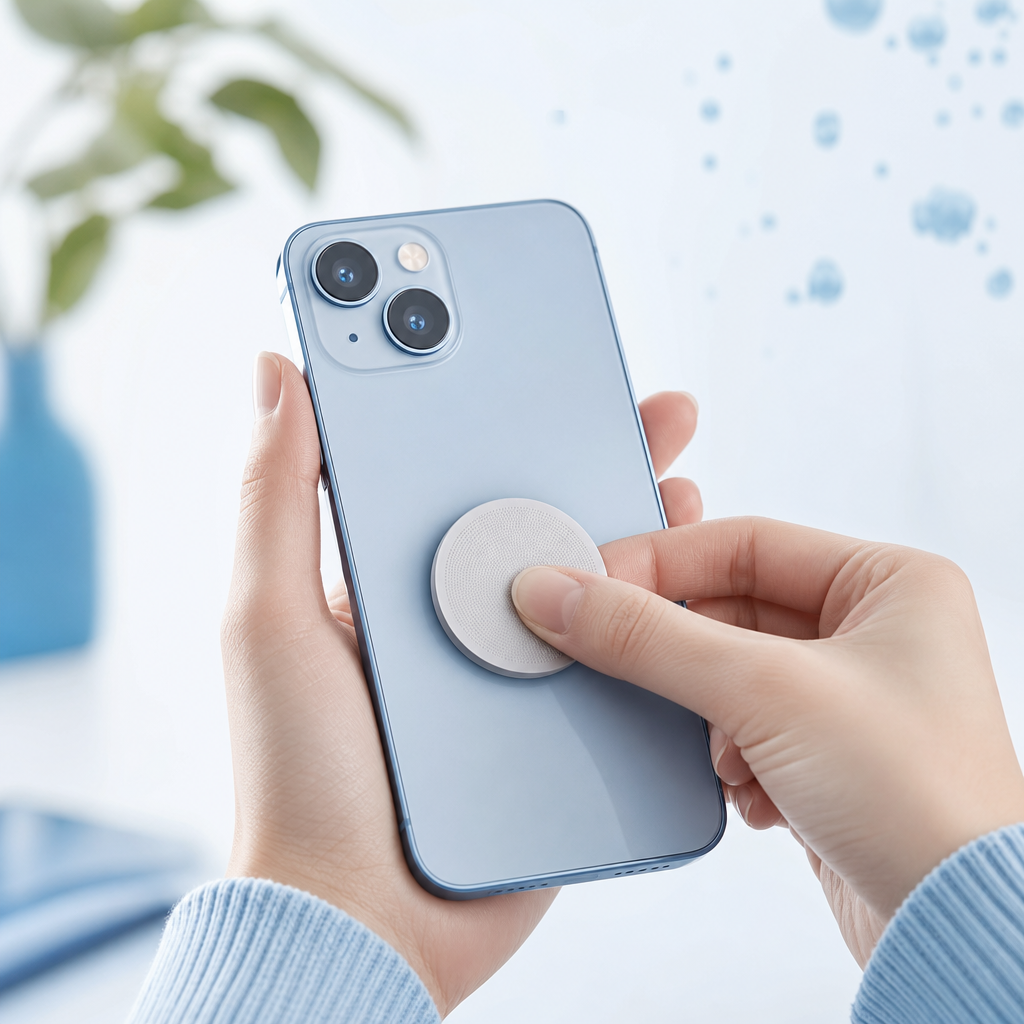
Place the disc on the back of your phone, or on the inside of the case, in a flat spot clear of the camera lenses, ports and buttons. Press down firmly across the whole disc, then test wireless charging if you use it. Follow Aulterra's packaging instructions where they differ from this guide.
This is the step-by-step sequence I give customers:
- Remove the case if you plan to stick the disc to the phone body. If you are using the inside of the case, take the phone out first.
- Wipe the surface with a dry, lint-free cloth and let it dry fully.
- Choose the spot. The centre of the back panel, below the camera module, is the usual choice. Keep at least a small margin from every camera lens, flash, sensor, charging port and speaker grille. If your phone has a raised camera bump, stay well clear of it.
- Peel the disc from its backing, handling it by the edge so you do not touch the adhesive.
- Place it flat and press firmly across the whole surface. Run your thumb around the edge so it is sealed.
- Refit the case if you removed it, and check it sits flush with no pressure on the disc edge.
- Test the basics. Take a photo, plug in the charger, and make sure buttons and ports behave normally.
Wireless charging
If you charge wirelessly, test it straight away. Place the phone on the charger and confirm it starts charging within the usual time. Wireless chargers rely on a coil in the phone lining up with a coil in the charger, and anything between them can interfere with that. If charging becomes slow, stops or the phone runs warm, move the disc to a different spot or check Aulterra's packaging for guidance on charging compatibility. Do not assume it is fine. Test it.
Keep the disc where you will not knock it
Phones live in pockets, bags and cars. A disc on the back panel gets rubbed by everything. Pressing it down properly at the start matters more than anything else you do. Inside the case is usually the more protected option, if the case has a smooth interior.
Where to Put a Disc on Tablets, Laptops, Cordless Phones, Routers and Smart Speakers
Put one disc on the body of each device, on a flat surface clear of vents, speaker grilles, microphones and indicator lights. For laptops that usually means the underside, for routers the side or base, and for smart speakers the base. Do not apply anything to a smart meter.
The principle is the same everywhere: pick a flat, smooth, out-of-the-way spot where the disc will not block airflow, sound, signal lights or ports. Here is how that works for each device.
Tablets
Treat a tablet like a large phone. Apply the disc to the back panel, or inside the cover if it has a smooth interior, clear of the rear camera and speaker grilles. If you use a folding cover, avoid the hinge line. Tablets often get used on laps and in beds, so a flat, well-pressed disc matters.
Laptops
Laptops get warm, and they have vents. Choose a flat area on the underside, away from the vent slots and rubber feet. If the underside is awkward, the back of the lid is a workable alternative. Avoid the area over the battery or processor if the case gets noticeably hot there, because heat can soften adhesive. Do not cover any vent. A blocked vent is a bigger problem than anything a disc is meant to address.
Cordless phones
Put one disc on the back of the handset and one on the base station. Keep them off the charging contacts, the keypad and the speaker. Cordless handsets are often held against the head for long calls, so the handset is the priority.
Routers
Routers sit in one spot, run all day and often live near bedrooms or home offices, which makes them a sensible device to treat. Apply the disc to the side or base, flat and smooth, clear of the vents, antennas and indicator lights. Never cover the vents. Routers need airflow, and an overheated router causes dropouts. If you have a mesh system, each node is its own device, so plan a disc for each.
Smart speakers and smart displays
Stick the disc to the base or rear panel, clear of the microphone holes, speaker grille and vents. Do not place it on top of the unit where touch controls or microphones sit.
Smart meters: leave them alone
Smart meters belong to your electricity distributor or retailer, not to you. Do not stick a disc, or anything else, on one. Tampering with a meter can breach your supply agreement and can be unsafe. If a meter concerns you, contact your electricity distributor and ask what options exist. Meanwhile, you can deal with the devices you own and control inside the home.
Building a Layered Whole-Home Routine
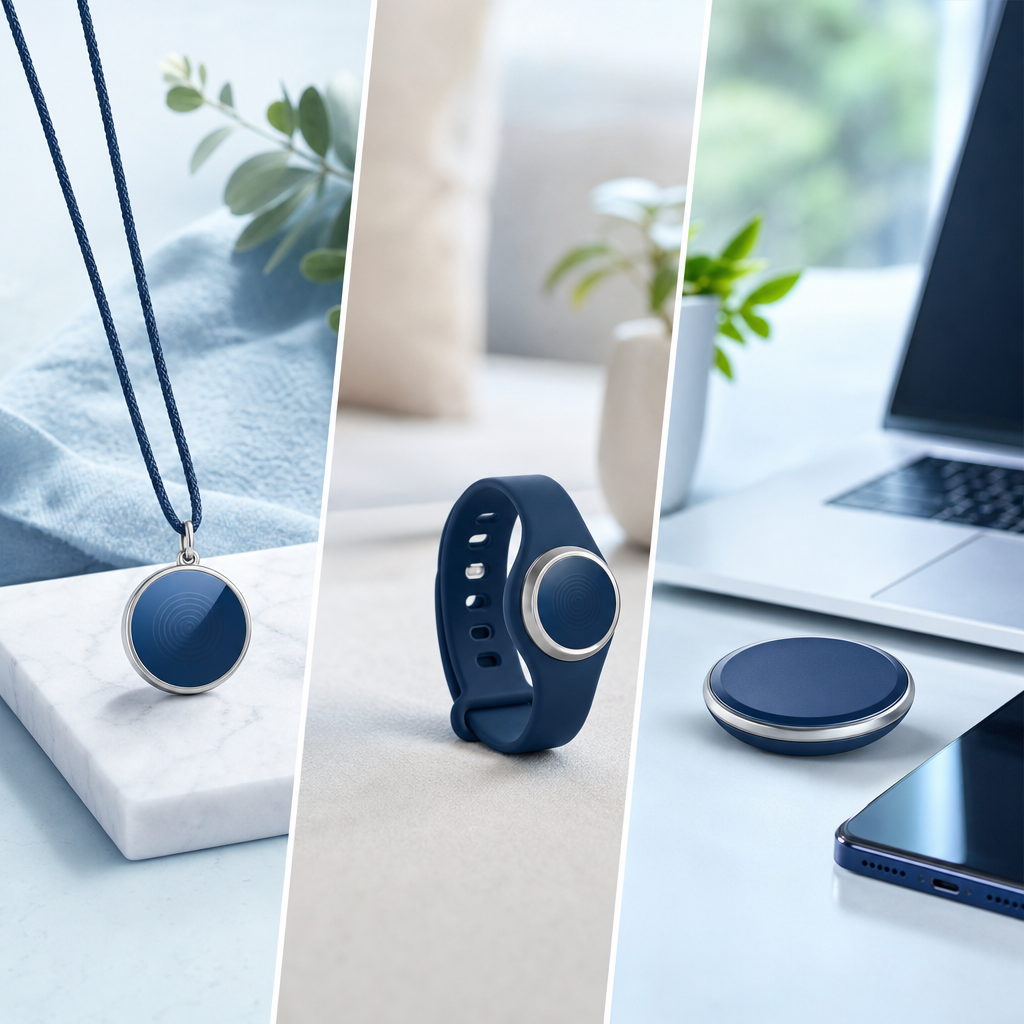
A whole-home routine layers a disc on every daily device with on-body and bedroom products: a pendant or wristband for personal use, an EMF pillow in the bedroom and a car USB neutraliser for the drive. This is EMF Neutralizer's approach to cumulative daily exposure, not settled science.
Our view is that no single product covers the day. You spend time at your desk, in the car, on the couch and in bed. Each location has its own cluster of sources. Layered EMF protection means matching a product to each of those settings so that you neutralise your environment wherever you are, not just on the phone in your hand.
Discs on devices
Discs are the foundation. They stay on the device, so they are always present when the device is on. They suit stationary and semi-stationary devices such as routers, laptops and speakers, as well as phones.
A pendant or wristband for on-body use
A disc is tied to a device. A pendant or wristband travels with you. If you move between rooms, offices, cafes and public transport, you cannot put a disc on every device you encounter, and that is where an on-body product fills the gap. We have a separate comparison of pendants, wristbands and discs if you are deciding between them, and a guide to wearing an EMF protection necklace for the practical side of that choice.
An EMF pillow in the bedroom
Sleep is where most people start caring about this. A bedroom often has a phone on the bedside table, a router nearby, a smart speaker, a charger and sometimes a television. An EMF pillow addresses the place you spend a long, still stretch of the night. Place it where your head rests, and treat the bedroom devices with discs as well.
The car USB neutraliser
Cars are small, enclosed spaces with a phone, a Bluetooth connection, a navigation screen and often a charger running together. The car USB neutraliser plugs into a USB socket and suits your daily drive. It is the simplest way to cover a space where you cannot stick a disc on every component.
An example: a home office
Here is a hypothetical scenario, not a real client case. Imagine a home office with a laptop on the desk, a phone beside it, a router on a shelf behind and a smart speaker in the corner. That is four sources within a few metres of where you sit for most of the working day.
A sensible application plan would be: one disc on the underside of the laptop, one on the back of the phone case, one on the side of the router and one on the base of the speaker. Add a pendant or wristband if you move around the house during the day. Then add a pillow in the bedroom if sleep is the concern. That is the whole routine, and it takes ten minutes to set up.
As for outcomes, EMF Neutralizer's own data is worth stating clearly. Customers describe an estimated 60-85% improvement in perceived fatigue after applying our products. That figure is drawn from qualitative customer feedback across residential use cases. It is not from clinical trials, it is not a measured result, and your experience may differ.
Care and Troubleshooting
If a disc lifts, clean both surfaces, check whether the adhesive still grips, and follow the Aulterra packaging instructions for reapplying or replacing it. When you upgrade your phone, treat the new handset as a new device and plan a disc for it. We do not give replacement timeframes because they depend on use.
What to do if a disc lifts
Discs lift for predictable reasons: a dirty surface, a textured case, heat, flexing or repeated knocks. Work through this order:
- Check whether the disc is damaged or deformed. If so, do not reuse it.
- Clean the device surface and the disc back with a dry, lint-free cloth.
- Press it back down firmly. If it grips, you are done.
- If it will not grip, follow the Aulterra packaging instructions or contact EMF Neutralizer for advice on replacing it.
- Move it to a flatter, smoother spot if the original position was the problem.
One customer, who describes herself as extremely sensitive to devices, told us she noticed the difference quickly when a disc fell off her phone. That is her perception, not a clinical finding, but it is why I tell people to check their discs regularly. A disc lying in the bottom of a bag is not doing its job.
Upgrading your phone
Peeling a disc off and moving it can weaken its grip, so do not assume it will stick to the new handset. The simplest approach is to treat the new phone as a new device and apply a fresh disc following the packaging instructions. Check the packaging or contact us if you want guidance on whether a particular disc can be moved.
Routine checks
Once a week, glance over your devices. Check the phone case, the laptop underside and the router. It takes a minute. Look for lifted edges, dirt under the disc and anything that has shifted over a camera or vent.
What We Have Seen: Place Discs by Contact Time, Not by Device
Rank your devices by contact time, not by how much you think they emit. The phone in your pocket, the laptop on your lap and the router in your bedroom wall get discs first. This is our approach, based on how customers use the products, not a tested protocol.
Most advice on EMF products fixates on the device: which one emits most, which is newest, which has 5G. I think that is the wrong question. The more useful one is how many hours a day each device is within arm's reach of you. A phone in your hand or pocket for most of the day matters more to your daily load than a smart TV across the room. A router on the other side of your bedroom wall matters more than one in a hallway cupboard.
That is why I tell people to list their devices by hours of proximity. It is also consistent with our cumulative-load view: the question is not whether one device is under its limit, it is what the combined picture looks like across a sixteen-hour day.
A second observation: the quiet failure is the disc that has fallen off. People apply a disc, feel good about it, and never check it again. Customers who keep them working are the ones who build a weekly glance into their routine.
A third: a Gold Coast physiotherapist who now sells Aulterra products in his clinic told us he has discs on his laptops, on his and his children's mobile phones, and has house and office units as well. He ran his own kinesiology testing and was satisfied with the results. Kinesiology is not accepted as scientific validation, so treat that as one practitioner's experience, not proof. I include it because it shows what a layered setup looks like when someone applies it across a whole household and workplace.
I will be honest about the limit of all this. Mainstream research has not confirmed harmonising effects, and ARPANSA's position is that exposure within Australian limits is not established to cause harm. Our view is a different reading of the same environment. If you want to test it, apply the discs carefully, keep a simple note of how you feel across a few weeks, and judge for yourself.
Your Next Step
Browse the Aulterra neutraliser disc range and pick one disc for each device you use daily: phone, laptop, tablet, router and any others on your list. If you also want protection that moves with you, explore our pendants for personal, on-body use. Apply them using the steps above, and keep the packaging instructions handy.
References
- Australian Radiation Protection and Nuclear Safety Agency (ARPANSA). Information on radiofrequency electromagnetic energy, exposure limits and mobile phones. https://www.arpansa.gov.au
- World Health Organization. Electromagnetic fields and public health: mobile phones (fact sheet). https://www.who.int/news-room/fact-sheets/detail/electromagnetic-fields-and-public-health-mobile-phones
- International Agency for Research on Cancer (IARC). Classification of radiofrequency electromagnetic fields as possibly carcinogenic to humans (Group 2B), 2011. https://www.iarc.who.int
Stay informed on EMF wellness
Get practical tips and product updates in your inbox.
Frequently asked questions
Where do I put an EMF neutraliser sticker on my phone?
Put it on the back of the phone, or on the inside of the case, in a flat spot clear of the camera lenses, ports and buttons. The centre of the back panel below the camera is the usual choice. Press it down firmly and follow the Aulterra packaging instructions.
Will a disc affect my phone signal or wireless charging?
A disc is not designed to block signal, so connectivity should be unaffected. Wireless charging is different because anything between the phone and charger can interfere. Test charging straight after applying the disc. If it slows or stops, move the disc and check the packaging guidance.
How many discs do I need?
Our recommendation is one disc per device. List every wireless or electronic device you use daily, then plan a disc for each. Start with the devices closest to your body for the most hours: your phone, laptop and tablet. Add the router and other household devices next.
Can I move a disc to my new phone?
Peeling a disc off can weaken its grip, so do not assume it will re-stick well. The simplest approach is to treat the new phone as a new device and apply a fresh disc. Check the Aulterra packaging or contact EMF Neutralizer for guidance on your particular disc.
Can I put a disc on my smart meter?
No. A smart meter belongs to your electricity distributor, not to you, and tampering with it can be unsafe and may breach your supply agreement. If you have concerns about a meter, contact your electricity distributor. Apply discs only to devices you own.
Do EMF discs actually work?
Mainstream research has not confirmed harmonising effects, and ARPANSA's position is that exposure within Australian limits is not established to cause harm. EMF Neutralizer's view is that cumulative daily exposure matters. Customer feedback is qualitative and not from clinical trials, so judge it on your own experience.

Richard Kent
Science-backed EMF wellness education from the EMF Neutralizer team.
Related articles
Best EMF Protection Sticker for Your Phone in Australia: An Honest Review and Comparison
The best 'EMF protection sticker' for an Australian phone user is the Aulterra Neutralizer Discs 3-Pack — small adhesive discs applied one per device, starting…

Do EMF Pendants Actually Work? An Honest Answer for Australians
EMF pendants are not designed to block or shield electromagnetic fields the way a bed canopy, Faraday enclosure, or device pouch does. They are designed to harm…
Comparison page: pendant vs wristband vs disc for EMF protection
A pendant is the strongest all-purpose choice for personal EMF protection, while a wristband suits people who prefer a wearable away from the neck. A disc is di…