How to Reduce EMF in Your Home: A Practical Room-by-Room Guide for Australians
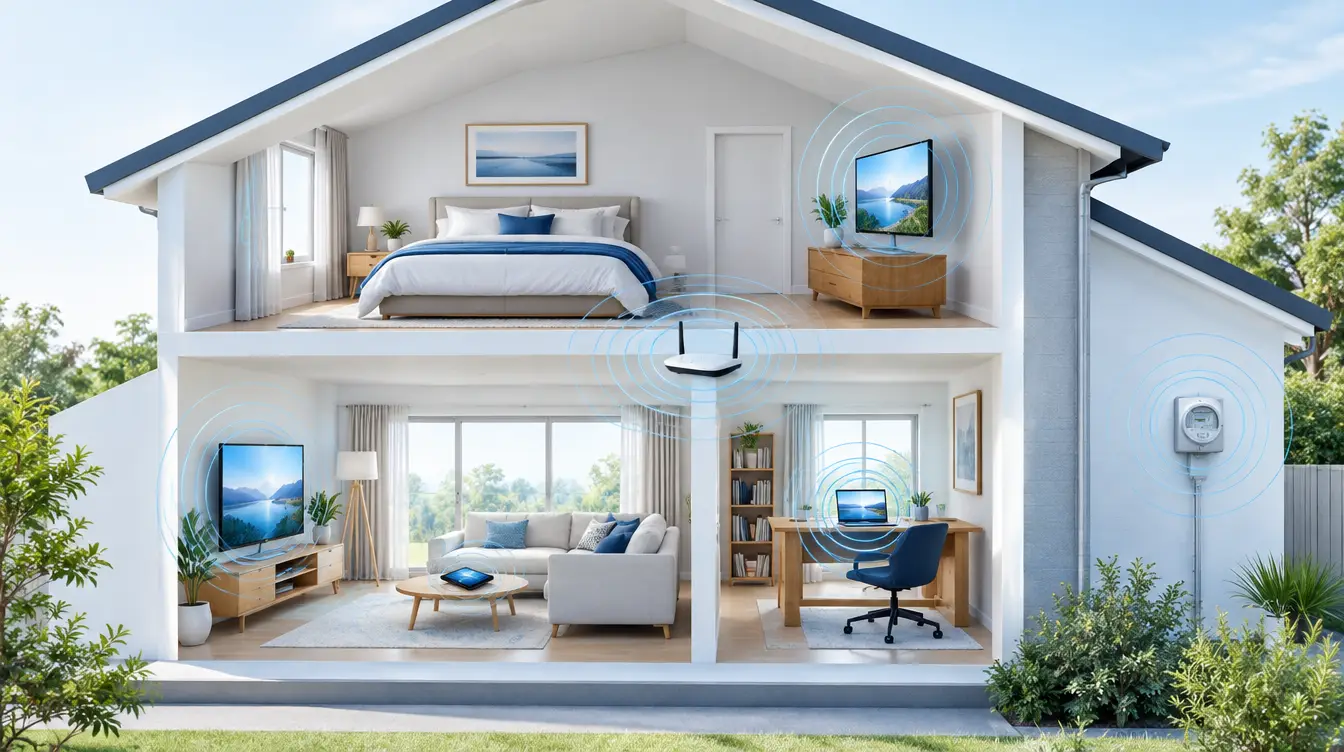
You cannot make a home fully EMF-proof, but you can lower your household's combined EMF load. Start with free changes: move devices away from beds, put the router on a timer, use wired connections and keep phones at a distance. Then add harmonising products such as Aulterra discs, pillows and pendants to support your environment.
Most Australians searching for an EMF-proof home expect a way to block everything. That product does not exist, and anyone selling it is overpromising. What you can do is take control of your immediate environment, one room at a time, without renovating.
This guide walks through your home in order of priority: mapping sources, the bedroom, living areas and the home office, then personal habits. It ends with a checklist and a simple starter approach. We are upfront about where the mainstream position and our own perspective differ.
Key Takeaways
- No home can be fully EMF-proof. The realistic goal is a lower combined load from all the sources running at once.
- Distance is the most reliable free lever. Moving a device or bed a short way often beats any product.
- The bedroom comes first, because it is where you spend long, uninterrupted hours near the same sources.
- Router placement, timers and wired connections cut a lot of constant background emission.
- EMF Neutralizer sells harmonising products (discs, pillows, wristbands, pendants). We do not sell shielding paint, fabric or meters.
- See your GP for any persistent symptoms. Nothing in this guide is medical advice.
Protect your family from EMF exposure
Browse our science-backed neutralizer products.
Shop EMF ProtectionSummary Table
- What it does
- Puts space between you and a source
- Cost
- Free
- Examples
- Bed away from meter wall, router out of the bedroom
- What it does
- Removes the source for hours at a time
- Cost
- Free to low
- Examples
- Router timer, flight mode, unplugging chargers
- What it does
- Replaces wireless links with cables
- Cost
- Low
- Examples
- Ethernet for TV, desktop and consoles
- What it does
- Applied to devices or worn, to support your environment
- Cost
- Product purchase
- Examples
- Aulterra discs, energy pillows, wristband, pendants
- What it does
- Attempts to block fields physically
- Cost
- Varies
- Examples
- Not sold by EMF Neutralizer
Can you really EMF-proof a home?
No. A home cannot be made fully EMF-proof, because fields come from your own devices, your neighbours' devices, mobile towers and the grid. Shielding products try to block fields. Harmonising products, which is what EMF Neutralizer sells, work differently. The realistic goal is a lower combined load, not zero.
Let's be clear about what we sell. EMF Neutralizer sells Aulterra harmonising products. We do not sell shielding paint, shielding fabric or EMF meters. If a business promises a sealed, field-free house, be sceptical.
Shielding versus harmonising
Shielding aims to physically block or absorb a field. It can be expensive, it can be disruptive, and in a rental it is usually impractical. It can also have side effects, such as reducing your mobile reception indoors.
Harmonising products take a different approach. They are applied to a device or worn on the body, and our view is that they support your biology in an environment full of devices. You can apply a disc in seconds, and nothing about your home changes.
Distance versus blocking
Field strength drops off quickly as you move away from a source. That is basic physics, and it is why distance is the cheapest and most dependable step. A router across the room is a very different proposition from a router on your bedside table.
What the regulators say
ARPANSA sets Australian exposure limits for radiofrequency EMF, and its position is that typical household devices sit well below them. The ACMA also regulates transmitter compliance in Australia. We respect those limits and do not dispute them.
Here is where our perspective differs, and we want it clearly labelled as perspective, not settled science. We believe the number that matters is the cumulative daily exposure from many sources running at once. We come back to this in the final section.
How do you map the EMF sources in your household?
Walk through each room and list anything that plugs in, connects wirelessly or sits on the other side of a wall from where you spend time. Note routers, smart meters, cordless phone bases, baby monitors, smart TVs and chargers. Then mark where you sleep and sit longest. Those overlaps are where to act first.
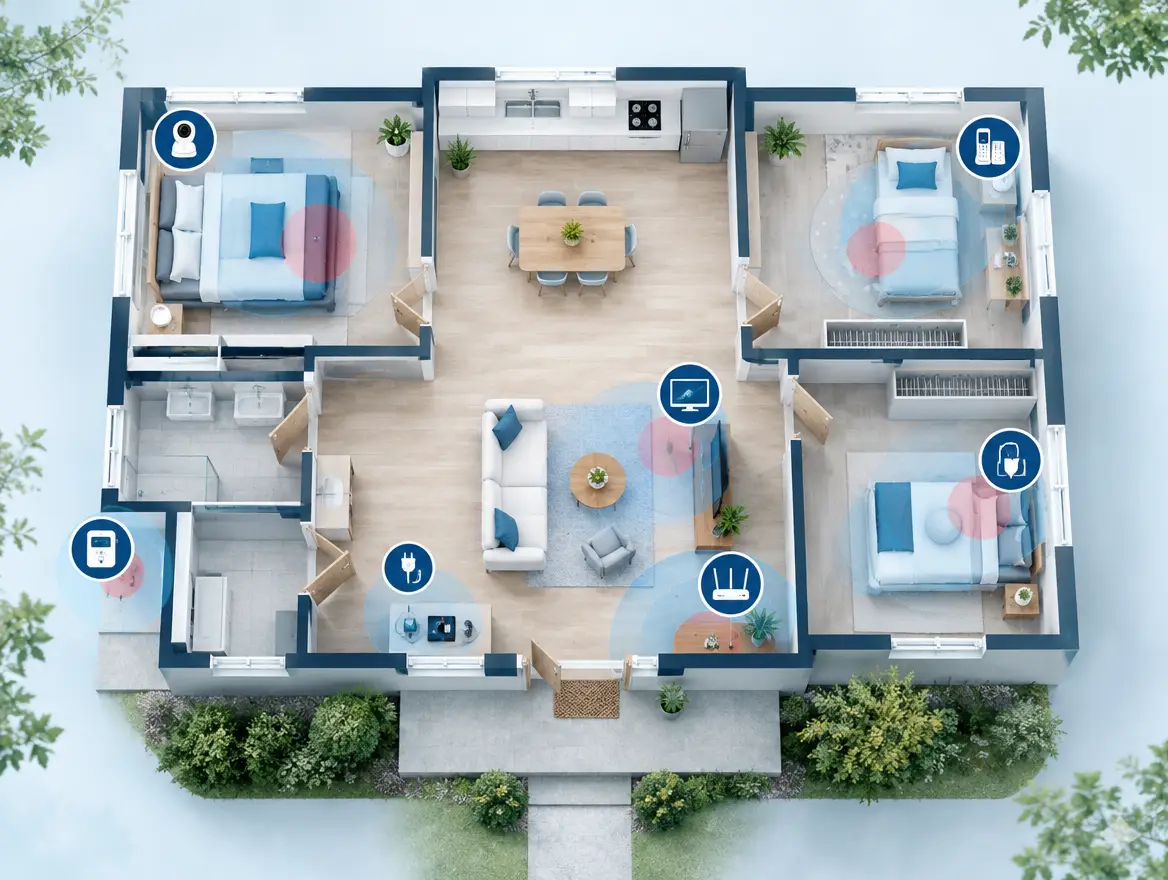
You do not need a meter for this. A pen and a rough floor plan will do. The point is to see your home the way your body experiences it over a full day.
The usual sources
- WiFi router and mesh nodes: transmit constantly, even when nobody is online.
- Smart meter: typically mounted on an outside wall or in a switchboard. Check what room sits behind that wall.
- Cordless phone bases: many transmit continuously, even when no call is active.
- Baby monitors: often sit within arm's reach of a cot for months.
- Smart TVs, speakers and streaming sticks: wireless links running all evening.
- Chargers and power boards: produce fields while plugged in, especially near a bed.
- Phones, tablets and laptops: the sources closest to your body.
- Microwave oven: short bursts, but worth knowing which room backs onto it.
Mark the overlaps
Circle every spot where two or more sources sit close to a place you spend hours. A couch against the router wall, a bed against the switchboard wall, a desk with a laptop, phone and monitor stacked together. These clusters are where your invisible electromagnetic burden is highest, and where small changes pay off first.
How do you reduce EMF in your bedroom?
Remove or switch off wireless devices near the bed, put phones in flight mode or in another room, set the router on a timer, and move the bed away from any wall that backs onto a smart meter or switchboard. Then consider an Aulterra EMF energy pillow, available in two sizes.
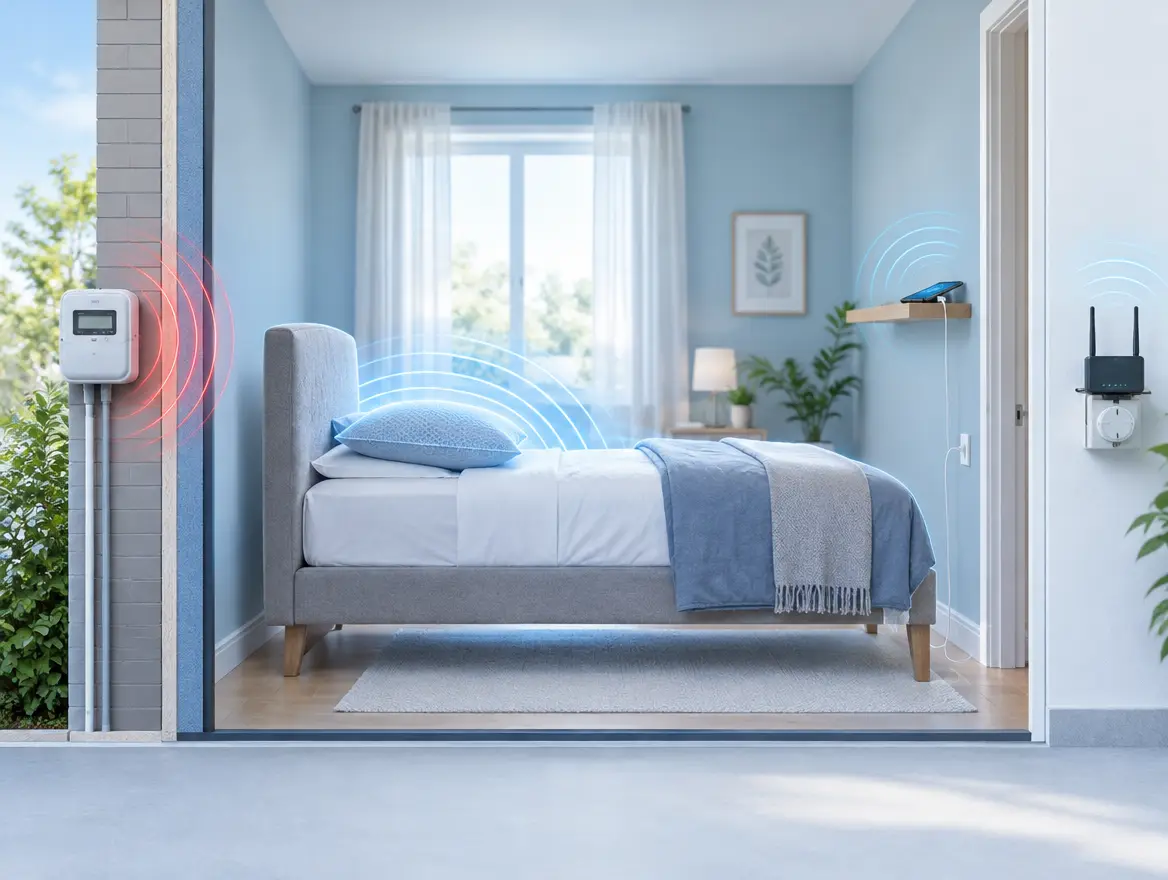
The bedroom comes first because you spend long, uninterrupted hours there, close to the same set of sources. It is also the easiest room to change, because the fixes cost almost nothing.
Devices out, or in flight mode
Charge your phone across the room, or in another room entirely. If you need it as an alarm, switch on flight mode. A cheap analogue alarm clock removes the excuse altogether. Move tablets, smart speakers and laptops out, and unplug chargers and power boards you do not need overnight.
Router timers
A plug-in timer on the router costs little and takes a minute to set up. Switch the router off from late evening until morning. Check first that your modem is not tied to a landline phone service, a home alarm or a medical alert device that needs the connection overnight. If it is, leave it on and move it further from the bedroom.
Beds away from meter walls
Smart meters in Australia transmit in short bursts, and ARPANSA's position is that the exposure is low. Our approach is still simple: do not put your head on the other side of the wall from the meter or switchboard if you have a choice. Moving a bed to another wall is free. If you have concerns about a smart meter, your electricity distributor can tell you what options exist in your state.
Aulterra EMF energy pillows
Once the free changes are in place, an Aulterra EMF energy pillow is the next layer for the bed. It comes in two sizes, so you can match it to how you sleep and how much room you have. Think of it as layered EMF protection: distance and switching off first, then a harmonising product to support your environment overnight.
Be realistic about what it does. It is not a treatment for sleep problems. If you are sleeping poorly for any length of time, see your GP.
How do you reduce EMF in living areas and the home office?
Place the router in a central, low-traffic spot away from sofas, desks and bedrooms, use Ethernet for fixed devices like desktops, TVs and consoles, and switch off WiFi when not needed. Then apply neutraliser discs to the router, laptops and smart meter to support your environment further.
Living areas and home offices hold the densest clusters of devices, so they reward a little planning.
WiFi router EMF tips
- Move it out of the bedroom and off the desk. A hallway shelf or a spot near the centre of the home usually works.
- Keep it away from where people sit for hours. The back of a sofa is a common mistake.
- Cut the extras. Mesh nodes and range extenders add more transmitters. Use only what you need.
- Use a timer. The same plug-in timer from the bedroom works here.
- Turn off unused radios. Many routers let you disable the 5GHz or 2.4GHz band you do not use, and Bluetooth on devices you do not need.
Wired where it matters
Ethernet cables for the smart TV, gaming console, desktop and printer take those devices off WiFi altogether. It also makes your connection faster and more stable. In a rental, flat cables can run along skirting boards without drilling anything.
Smart meters
You cannot move a smart meter, and as a renter you often cannot do much about it. What you can control is what sits behind that wall. Keep beds, desks and favourite chairs away from it where possible. Aulterra discs can be applied to the smart meter as part of your layered approach. Our separate guide on how to apply an EMF neutraliser disc covers placement.
Home office and laptops
A typical desk can stack a laptop, external monitor, phone and wireless peripherals within arm's reach for a full working day. Put the laptop on a desk, not your lap. Use a wired keyboard and mouse. Keep the phone on the far side of the desk or in another room during focused work. Then apply a disc to each main device.
What personal and family habits lower daily exposure?
Keep phones off your body where you can: use speaker or wired headphones for calls, carry the phone in a bag rather than a pocket, and avoid laptops on laps. For time around the house, some people add an Aulterra vitality wristband or an energy, heart or pillar pendant.
Habits matter because your phone is the closest source you own. Fields weaken quickly with distance, so a few centimetres of separation is meaningful.
Phone habits
- Use speaker mode or wired earphones for long calls.
- Do not sleep with the phone under the pillow.
- Keep it out of your pocket when you are at home.
- Avoid using it while it charges.
- Let the phone sit on a shelf while you cook, read or watch TV.
Our separate guide on how to reduce phone radiation exposure without a case goes deeper on this.
Family and kids
Children often use tablets on the lap or on the bed. Moving device time to a table, and putting devices away at night, is the same free habit as for adults. Place baby monitors as far from the cot as the room allows, and use the parent unit on a shelf rather than beside your pillow.
Wristband and pendants
The Aulterra vitality wristband and the energy, heart and pillar pendants are worn on the body, so they go with you from room to room. Many people wear one in the evening or while working at home. We hear a lot of positive feedback from customers, but be aware that this feedback is anecdotal. We are not claiming clinical proof, and mainstream regulators do not say these products are needed. If you want a deeper look at the question, see our article on whether EMF pendants actually work.
Your home is only one part of your day. For the vehicle you spend time in, see our guide on how to reduce EMF in your car, so the whole household is covered.
A simple room-by-room EMF checklist
Work through the home one room at a time: bedroom first, then the living area, home office, kitchen and kids' rooms. Each step below is free unless it names a product, so you can start tonight and add products later. Tick them off as you go.
Bedroom
- Phone charging outside the room, or on flight mode
- Router on a timer, or moved away from the bedroom
- Bed not against the smart meter or switchboard wall
- Unneeded chargers and power boards unplugged
- Consider an Aulterra EMF energy pillow
Living area
- Router in a central, low-traffic spot
- Smart TV, console and streaming devices on Ethernet
- Cordless phone base moved away from seating, or replaced with a corded phone
- Discs on the router and smart TV
Home office
- Laptop on the desk, not the lap
- Wired keyboard and mouse
- Phone kept away from the desk during focused work
- Discs on laptop, monitor and phone
Kitchen and utility
- Seating away from the microwave and fridge walls
- Switch off appliances at the wall when not in use
Kids' rooms and nursery
- Baby monitor as far from the cot as practical
- Tablets used at a table, then put away at night
You
- Speaker or wired earphones for long calls
- Consider a wristband or pendant for time around the house
Why we count the combined load, not the single device
Our view is that the relevant measure is your cumulative daily exposure, not any one device in isolation. A router, meter, laptop, phone and television can all run for sixteen hours a day. We think the combined effect matters, even when each source sits below its limit. This is our perspective, not settled science.
Here is the reasoning. Exposure standards, including those ARPANSA applies in Australia, assess sources against limits. ARPANSA's position is that typical household exposure sits well below them, and we are not disputing that. Our contention is that nobody lives next to one device. People live inside a layered invisible electromagnetic burden, and we believe the body registers that total.
The mainstream position is that no protective measures are needed at everyday levels. The WHO fact sheet on electromagnetic fields reflects the ongoing research and the regulatory approach. Our approach is a precautionary one: if free changes and low-cost products can neutralise your environment a little, and the cost is small, we think it is worth doing. Your home should work with you, not against you.
What customers tell us
Here is a number from our own book of business, and we want to label it carefully. Our internal estimate, drawn from qualitative customer descriptions rather than any measurement or clinical testing, is a 60-85% improvement in perceived tiredness after applying our products in residential settings. It is not a clinical result, it is not a guarantee, and it is not a claim that our products treat any condition.
One customer story illustrates the pattern. She had moved into an apartment with a large transformer box right outside her bedroom window, and she felt unsettled in that room. Her evening routine changed: she began wearing a pendant in the evening and using a plug-in unit overnight. After the first night she told us she felt refreshed for the first time in weeks. She then ordered discs for her phone, tablet, router and a few other hotspots. That is one person's account, not evidence of an effect, but it shows how people tend to build up layers rather than rely on one product.
Where to start: a simple starter approach
Begin with the free changes in the checklist. Then apply Aulterra discs to the router, smart meter and phones, and add an energy pillow for the bedroom. That order keeps your spending low and lets you notice what works for you before going further.
- This week: work through the free steps for the bedroom and living area.
- Next: apply discs to the router, smart meter and your phones. It takes a few minutes.
- Then: add an Aulterra EMF energy pillow to the bedroom.
- Later: consider a wristband or an energy, heart or pillar pendant for time around the house, plus discs on laptops and tablets.
Browse the full product catalogue on the EMF Neutralizer website. If you are unsure which discs, pillow size or pendant suits your home, contact the team and we will help you choose. If symptoms are persistent, please see your GP first.
References
- ARPANSA, Australian Radiation Protection and Nuclear Safety Agency: electromagnetic energy information
- World Health Organization, Radiation: Electromagnetic fields (fact sheet)
- ACMA, Australian Communications and Media Authority: electromagnetic energy (EME) information
Stay informed on EMF wellness
Get practical tips and product updates in your inbox.
Frequently asked questions
Can you make a home fully EMF-proof in Australia?
No. Fields from your own devices, neighbours, mobile towers and the grid make a fully field-free home unrealistic. The practical goal is a lower combined load: move devices and beds away from sources, switch things off when not needed, use wired connections, and add harmonising products if you wish.
Do smart meters emit EMF in Australia?
Yes. Smart meters use radiofrequency communication and transmit in short bursts. ARPANSA's position is that exposure from them is low and within Australian limits. If you are concerned, keep beds and desks away from the meter wall and ask your electricity distributor about options in your state.
Should I turn off my WiFi router at night?
It is a free, low-effort way to cut hours of constant emission. Use a plug-in timer. Check first that your connection is not needed overnight for a home alarm, medical alert or landline service. If it is, move the router further from the bedroom instead.
What are EMF harmonising products?
EMF harmonising products, such as Aulterra discs, pillows, wristbands and pendants, are applied to devices or worn on the body. They are different from shielding, which tries to block fields. Evidence for them is largely customer-reported rather than clinical, and we encourage you to read reviews and decide for yourself.
Is household EMF safe according to Australian regulators?
ARPANSA sets Australian exposure limits, and its position is that typical household devices sit well below them. Our perspective is that cumulative exposure from many simultaneous sources is worth reducing as a precaution. For persistent symptoms, see your GP.

Richard Kent
Science-backed EMF wellness education from the EMF Neutralizer team.
Related articles
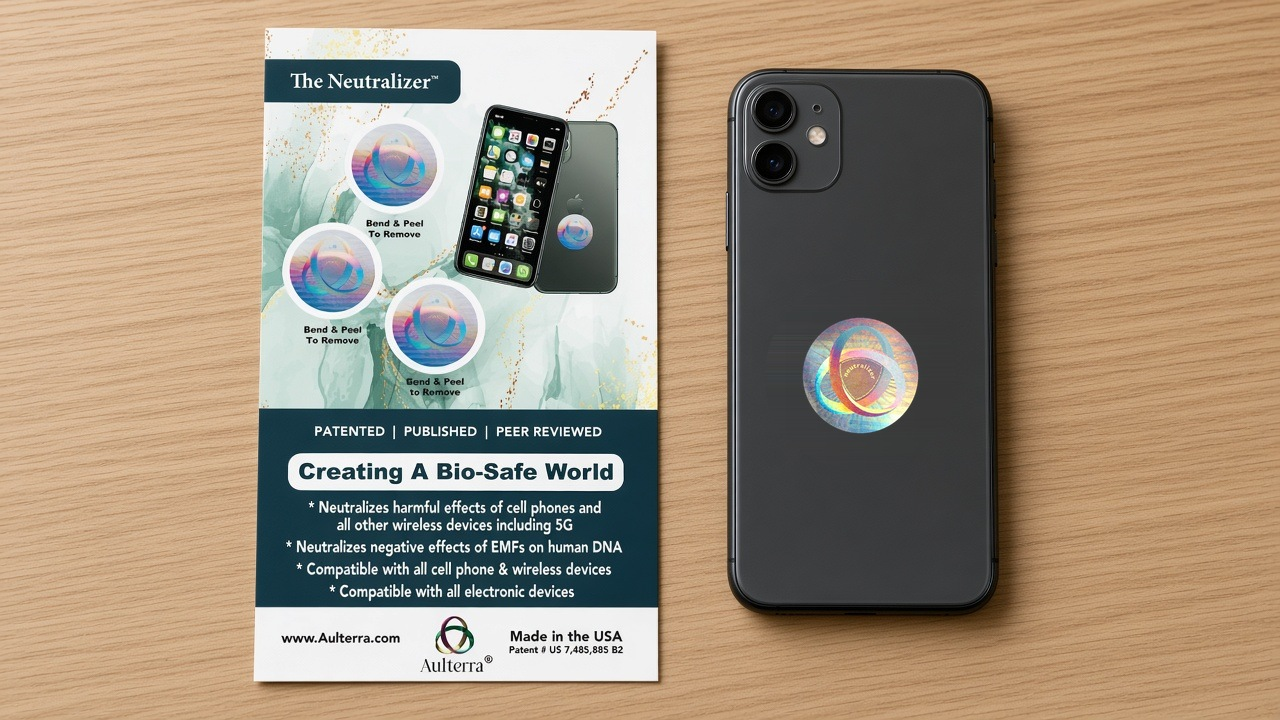
How to Apply EMF Neutraliser Disc: A Step-by-Step Guide for Phones and Home Devices
To apply an Aulterra EMF neutraliser disc, clean and dry the back of your phone, peel the disc, and press it on firmly, clear of camera lenses and ports, then f…
Does Phone EMF Protection Actually Work? An Evidence-Based Look for Australians
Phone EMF protection products such as the Aulterra neutraliser disc do not block or reduce mobile radiation, and they are not designed to. Genuine harmonising d…
iPhone vs Android EMF Output: Which Phone Is Actually Safer in Australia?
Direct Answer: Neither iPhone nor Android phones are meaningfully safer by SAR rating. Both must meet Australia's 2.0 W/kg limit, a standard enforced by ACMA an…