WiFi Router EMF Exposure: How to Reduce It in Your Australian Home
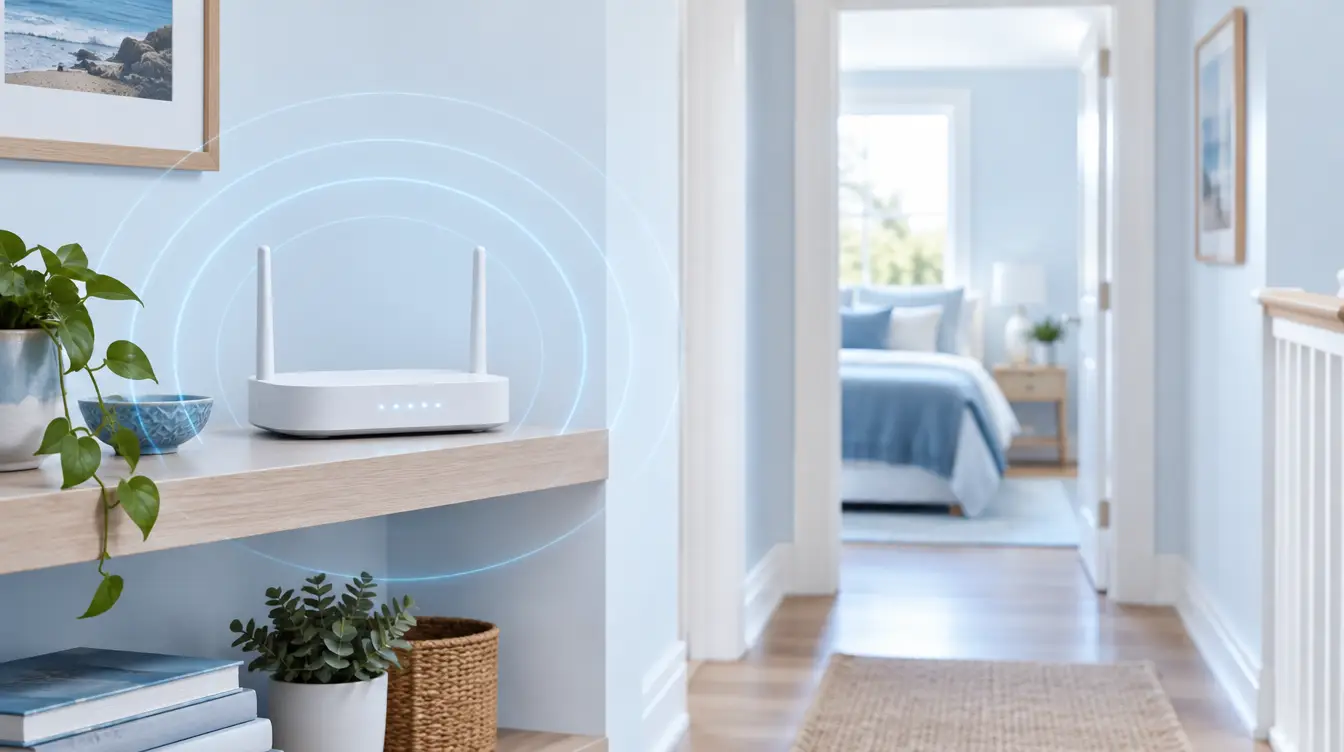
WiFi router EMF exposure comes from radiofrequency fields at 2.4 GHz and 5 GHz that a router emits around the clock. You can reduce it by moving the router away from beds and desks, switching it off overnight, using ethernet cables for fixed devices, and disabling unused networks. Distance is the most effective lever.
Your router is the one wireless device in your home that never has a day off. Phones get put down and laptops get closed, but the router broadcasts all night, all weekend and while you are on holiday. That makes it the constant baseline in your daily electromagnetic environment.
This guide is router-only. It covers what the device emits, what the research and Australian regulators actually say, and the free changes that make the biggest difference. It also explains where Aulterra harmonising products fit, and what they will and will not do. You do not need to give up connectivity to make sensible changes.
Key Takeaways
- A router transmits continuously, including small beacon signals when nobody is online, so it is a constant baseline source in the home.
- Distance is the most powerful variable. Field strength falls away quickly as you move further from the antenna.
- IARC classified RF-EMF as Group 2B (possibly carcinogenic) in 2011. Evidence on low-level household WiFi specifically is limited and debated.
- Moving the router out of bedrooms, switching it off overnight and wiring fixed devices are free and effective.
- Aulterra products are designed to harmonise, not block, so an EMF meter will not show lower readings. They are a layer on top of good placement and habits, not a replacement.
Protect your family from EMF exposure
Browse our science-backed neutralizer products.
Shop EMF ProtectionSummary Table
- Cost
- Free
- Effort
- Low to medium
- What it addresses
- Distance from where you sleep and work
- Cost
- Free to low
- Effort
- Low
- What it addresses
- Hours of overnight exposure
- Cost
- Low
- Effort
- Medium
- What it addresses
- Reduces wireless traffic from TVs, consoles and desktops
- Cost
- Free
- Effort
- Low
- What it addresses
- Extra transmissions and beacons
- Cost
- Free
- Effort
- Low
- What it addresses
- The combined, cumulative load
- Cost
- Paid
- Effort
- Low
- What it addresses
- An extra layer for people who want one
What does a WiFi router emit?
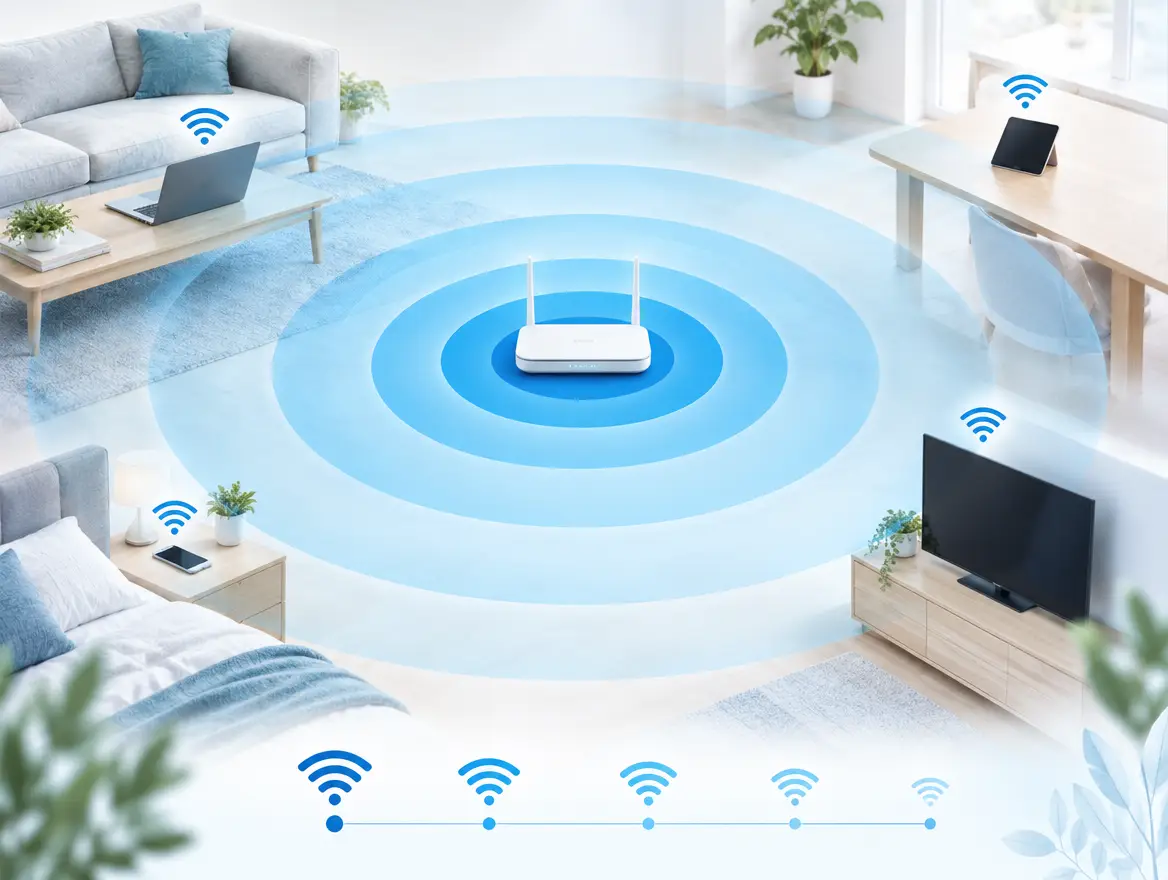
A WiFi router emits non-ionising radiofrequency fields, mainly in the 2.4 GHz and 5 GHz bands, to carry data to your devices. It also transmits small beacon signals continuously, even when nobody is online. Field strength falls quickly with distance, so where you place the router matters more than almost any setting.
Two bands, one constant signal
The 2.4 GHz band travels further and passes through walls more easily. The 5 GHz band carries data faster but covers a shorter range. Most modern routers broadcast both at once. Newer models may add a third band, which is one more reason to check what your own router is actually transmitting.
Beacons: the part people forget
A router does not only transmit when you stream a video. It sends out beacon frames several times a second so your devices can find the network. Each network name the router broadcasts has its own beacons. Switch on a guest network and a second set of beacons begins. That is why disabling unused networks is worth doing.
Data traffic adds bursts on top of the beacons. A household streaming on several devices produces a busier signal than a household with everything idle. The baseline never reaches zero while the router is powered on.
Why distance matters most
In open space, the power of a radiating source spreads over the surface of an expanding sphere. This is the inverse square law. Double your distance from the antenna and the power density falls to about a quarter. Triple it and it falls to about a ninth.
Real homes are messier. Walls, furniture and reflections change the pattern, so treat the law as a guide rather than an exact calculation. The practical lesson still holds. A router a metre from your pillow is a very different proposition from a router in the hallway on the other side of the house.
What do the research and regulators say about WiFi?
In 2011 the IARC classified radiofrequency electromagnetic fields as Group 2B, possibly carcinogenic to humans (Baan et al., The Lancet Oncology). Australian exposure limits are set by ARPANSA in RPS S-1 (2021). Evidence on low-level household WiFi specifically is limited and debated, and nobody should claim it is settled either way.
The IARC classification
The IARC working group reviewed the evidence on RF-EMF and placed it in Group 2B. That category means the evidence is limited and a link cannot be ruled out. It does not mean harm has been proven. The group's main concern was heavy mobile phone use, which is a much closer and stronger source than a router across the room. Anyone who tells you the classification proves WiFi is dangerous is overstating it.
What ARPANSA sets
ARPANSA publishes the Australian Radiation Protection Standard for limiting exposure to radiofrequency fields, known as RPS S-1, updated in 2021. Its position is that exposure below those limits is not established to cause adverse health effects. Household routers typically operate well inside those limits. That is the mainstream view, and you should know it before you decide what to do.
Where I part company with the mainstream view
The usual conclusion is that each device is below the limit, so nothing needs to change. My position is different. Limits are assessed device by device. Your body does not experience your home that way.
A typical Australian household has a router, a smart meter, phones, laptops, a TV and more, all active together for most of the day. We believe the relevant measure is the cumulative daily exposure from all of them combined. We also believe that the body registers that combined load even when each source is individually compliant.
This is a considered position, not a settled scientific finding. The research on combined, chronic, low-level exposure is limited. What I can say is that reducing the load from the one device that never switches off is cheap, low-risk and entirely within your control. You do not need certainty to make that call.
Where should you put your router?
Put the router in a central, elevated spot away from bedrooms, cots, desks and couches. Avoid the wall behind a bed and avoid the floor. The aim is good coverage with the greatest practical distance from the places where you spend long, still hours, especially sleeping.
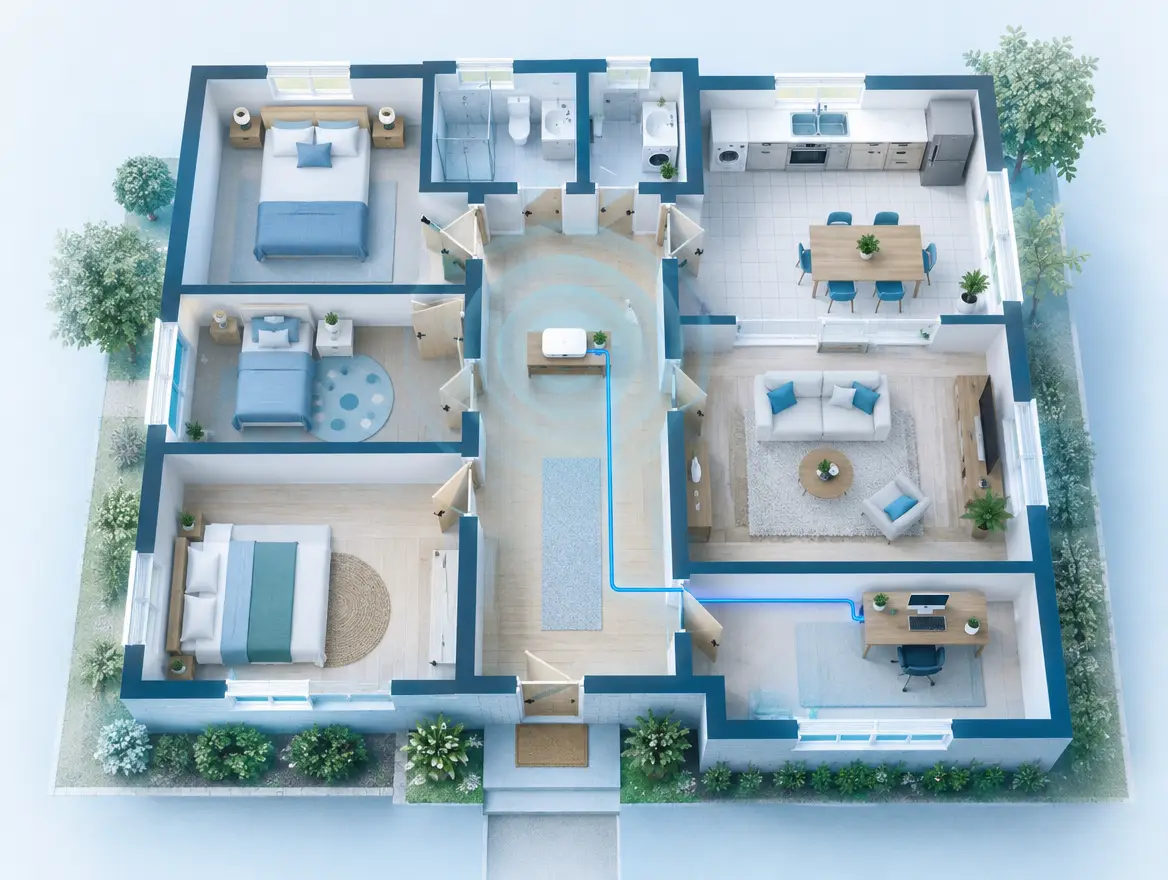
Rooms and spots to avoid
- Bedrooms and cots. You spend a third of your life there, and babies and children sleep long hours close to the furniture. A router on a bedside table is the worst case.
- The other side of the bedhead wall. Radio signals pass through plasterboard. A router in the hallway cupboard that backs onto your pillow is closer than it looks.
- Desks. If you work from home, a router within arm's reach adds to the cluster already around you.
- Couches and favourite chairs. Long evenings in one spot add up.
Better positions
A shelf in a hallway, living area or study usually works. Elevated and central gives good coverage across the home, so you do not need to boost the signal. Keep it out of cupboards and behind TVs, because enclosed routers often push people to add extenders, which means more transmitters.
The NBN problem
In many Australian homes the NBN connection box sits in a bedroom or the room nearest the street, and the modem-router lands next to it. You are not stuck with that. Run an ethernet cable from the connection point to a better location, or connect a second router in access point mode somewhere central and switch off the WiFi on the original. Check your provider's guidance before you change equipment, and keep any services that depend on the modem, such as a VoIP landline or a monitored alarm, working.
Mesh systems and extenders
More nodes mean more transmitters. A mesh system can solve a coverage problem, but it also puts a transmitter in several rooms. If you use one, keep nodes out of bedrooms, and consider wiring the nodes together with ethernet where possible.
Which habits reduce router exposure without losing connectivity?
Four habits do most of the work: switch the router off or schedule it overnight, wire fixed devices with ethernet, disable unused bands and guest networks, and keep fewer wireless devices running all day. Each is free or cheap, and none of them stops you getting online when you need to.
Turn off WiFi at night
This is the simplest habit with the largest effect on overnight exposure. Most modem-routers let you schedule WiFi off in the settings, often through an app or the admin page. If yours does not, a basic plug-in timer switch on the power supply does the job.
A few caveats. Check that nothing you rely on overnight needs the connection, such as a medical alert, baby monitor, security camera or VoIP phone. If it does, leave the router on and apply the placement fixes instead. Also give it a few minutes to reconnect in the morning. Some routers take time to restart fully.
Wire what does not move
Smart TVs, gaming consoles, desktop computers, streaming boxes and printers rarely leave their spot. Connect them with ethernet cables. You get a faster, more stable connection, and each wired device stops generating wireless traffic. It also improves the router's performance for everything that still needs WiFi.
Disable what you do not use
- Guest networks. If you do not have guests, switch the guest network off. Each network broadcasts its own beacons.
- Unused bands. If every device in your home works on 5 GHz, you may be able to turn off 2.4 GHz. Many older smart plugs and appliances need 2.4 GHz, so test before you commit.
- Extra hotspots. Some provider modems broadcast additional public or community networks by default. Check the settings and switch off what you do not use.
- Unused features. Smart home hubs and old devices still paired to the network keep chattering. Remove them.
Cut the always-on devices
The router is the baseline, but it is rarely the only thing running. Switch off tablets, spare laptops and smart speakers that nobody is using. Put your phone in flight mode overnight, or at least keep it away from your head. We cover the phone side in more depth in our article on whether phone EMF protection actually works, and the room-by-room picture in our guide to reducing EMF in your home.
Where do Aulterra products fit?
Aulterra products are designed to harmonise your environment, not block signals, so an EMF meter will not show lower readings after you use them. They suit people who want a layered approach: free placement and habit changes first, then a neutraliser disc on the router, a pillow for the bedroom or a pendant for the desk.
What harmonise, not block, means
Blocking products try to shield or reduce the field. A meter measures field strength, so a blocker should lower the reading. Aulterra works on a different premise. It is designed to harmonise the way fields interact with the body, and it does not change the strength of what the router emits.
That has an honest implication. If you buy a meter, point it at your router and apply a disc, the number will not move. If a seller promises a lower meter reading, ask how. If you want a lower reading, use distance, timers and cables. Those are the free steps in this article, and they do change the number.
I will not invent technical specifications beyond what the product pages state. What I can say is what the products are designed for and what customers tell us.
The neutraliser disc on the router
A neutraliser disc is a small stick-on product applied directly to a device. The most obvious place is the router, since it is the source that never switches off. Many customers also apply discs to nearby devices, such as the TV, a set-top box or a laptop dock. If you want help with placement, our guide on how to apply an EMF neutraliser disc covers it step by step.
The EMF energy pillow for the bedroom
Bedrooms are where free fixes have the most value, and also where some people cannot move the router far enough. If your bedroom shares a wall with the router, or you live in an apartment with neighbours' networks nearby, an EMF energy pillow adds a layer where you spend the most still hours. It does not replace moving the router. It supports it.
The pendant for the home desk
If you work from home, you are likely sitting near a router, laptop, monitor and phone for hours. A pendant is worn on the body, so it goes where you go. It suits people who split time between a home desk, the kitchen table and the couch, where a fixed product would not follow.
What customers tell us
I want to be clear about the limits. What follows is customer-reported experience, not a controlled trial, and I am not claiming any product treats or prevents a condition.
One customer moved into a new apartment with a transformer box outside the bedroom window. She described feeling scattered and drained, and said sleeping in the bedroom was unsettling. After one night with a plug-in unit and a pendant, she told us she felt refreshed for the first time in weeks. Her next move was to order stick-on discs for her phone, tablet, microwave, router and electric fireplace.
Across our customers, the plain-language feedback is similar. People say they feel more rested and less scattered. You can judge that for yourself with a simple test. Make the free changes first, then add a product, and notice the difference over a few weeks.
Quick-reference checklist
Use this list as a one-sitting job. Most steps take minutes, and the first five cost nothing.
- Find your router and note which rooms share a wall with it.
- Move it out of bedrooms and away from desks and couches, ideally to a central, elevated spot.
- Check that nothing you rely on overnight needs WiFi, then schedule WiFi off or fit a timer.
- Disable the guest network and any extra hotspots you do not use.
- Turn off the 2.4 GHz band only if every device works without it.
- Wire the TV, console, desktop and printer with ethernet cables.
- Switch off spare tablets, speakers and other idle wireless devices.
- Keep mesh nodes and extenders out of bedrooms.
- Apply a neutraliser disc to the router and nearby devices.
- Add an EMF energy pillow for the bedroom and a pendant for time at a home desk.
Why the router is the baseline you never switch off
Most advice on household EMF starts with phones and laptops, because they sit close to the body. That is reasonable. But I start with the router, because it is the only source that runs continuously, in every home, whether or not anyone is there.
Think of it as the baseline of your invisible electromagnetic burden. Other devices come and go on top of it. If the baseline is placed carefully and switched off at night, the rest of the day's load sits on a lower floor. If it sits behind your bed and runs 24/7, you start every day and finish every night with a constant source close to where you rest.
That is why I recommend layered EMF protection, in a specific order:
- Distance and placement. Free and measurable. A meter will confirm the effect.
- Habits. Timers, ethernet and fewer networks. Also free or cheap and measurable.
- Harmonising products. A disc on the router, a pillow in the bedroom and a pendant at the desk. These do not change meter readings. They support your biology as part of a broader approach.
I will say plainly what I would not do. I would not skip steps one and two and rely on a product alone. And I would not tell you that a router will harm you, because the research does not support that claim. My argument is narrower. Cumulative daily exposure from many sources is the right thing to think about, and the router is the easiest source to take control of. Your home should work with you, not against you.
References
- IARC, Press Release No. 208: IARC classifies radiofrequency electromagnetic fields as possibly carcinogenic to humans (2011)
- Baan R. et al., Carcinogenicity of radiofrequency electromagnetic fields, The Lancet Oncology (2011)
- ARPANSA, Radiation Protection Standard for Limiting Exposure to Radiofrequency Fields, 100 kHz to 300 GHz (RPS S-1, 2021)
Stay informed on EMF wellness
Get practical tips and product updates in your inbox.
Frequently asked questions
Is WiFi router EMF harmful?
The evidence on low-level household WiFi is limited and debated. IARC classified RF-EMF as Group 2B (possibly carcinogenic) in 2011, based mainly on mobile phone use, and ARPANSA says exposure within its limits is not established to cause adverse effects. Many people choose to reduce exposure as a precaution, particularly in bedrooms.
Should I turn off WiFi at night?
It is one of the simplest ways to cut overnight exposure, and you lose nothing while you sleep. Use your router's schedule setting or a plug-in timer. Keep it on if you rely on the connection for a medical alert, monitored alarm, baby monitor or VoIP phone.
How far should a router be from a bed?
There is no officially mandated figure for homes, so aim for as far as is practical. Ideally the router is in another room, not on the other side of the bedhead wall. Each increase in distance helps, because field strength falls quickly as you move away from the antenna.
Does an EMF neutraliser for a router lower meter readings?
No. Aulterra products are designed to harmonise, not block, so an EMF meter will not show lower readings after you apply one. If you want a lower reading, use distance, timers, ethernet cables and fewer active networks. Those steps do change what a meter shows.
Does WiFi EMF affect sleep?
The research on WiFi and sleep specifically is limited, and no one should claim a firm link. Many Australians still choose to move the router out of the bedroom and switch it off overnight as a low-cost precaution. Some customers report feeling more rested after making these changes, but that is personal experience rather than controlled research.

Richard Kent
Science-backed EMF wellness education from the EMF Neutralizer team.
Related articles
EMF Protection for the Bedroom: How to Create a Calmer Sleeping Space in Australia
The most effective EMF protection for a bedroom is to reduce what sits closest to your head at night. Put your phone on flight mode and out of reach. Move charg…

Best EMF Protection Sticker for Your Phone in Australia: An Honest Review and Comparison
The best 'EMF protection sticker' for an Australian phone user is the Aulterra Neutralizer Discs 3-Pack — small adhesive discs applied one per device, starting…

EMF pendant for kids Australia: a parent's guide to everyday protection
An EMF pendant for kids is wearable jewellery containing Aulterra's mineral matrix, designed to neutralise disruptive field interaction from school iPads, home…