EMF Protection for Home Office Australia: A Complete Guide for Remote Workers (2026)
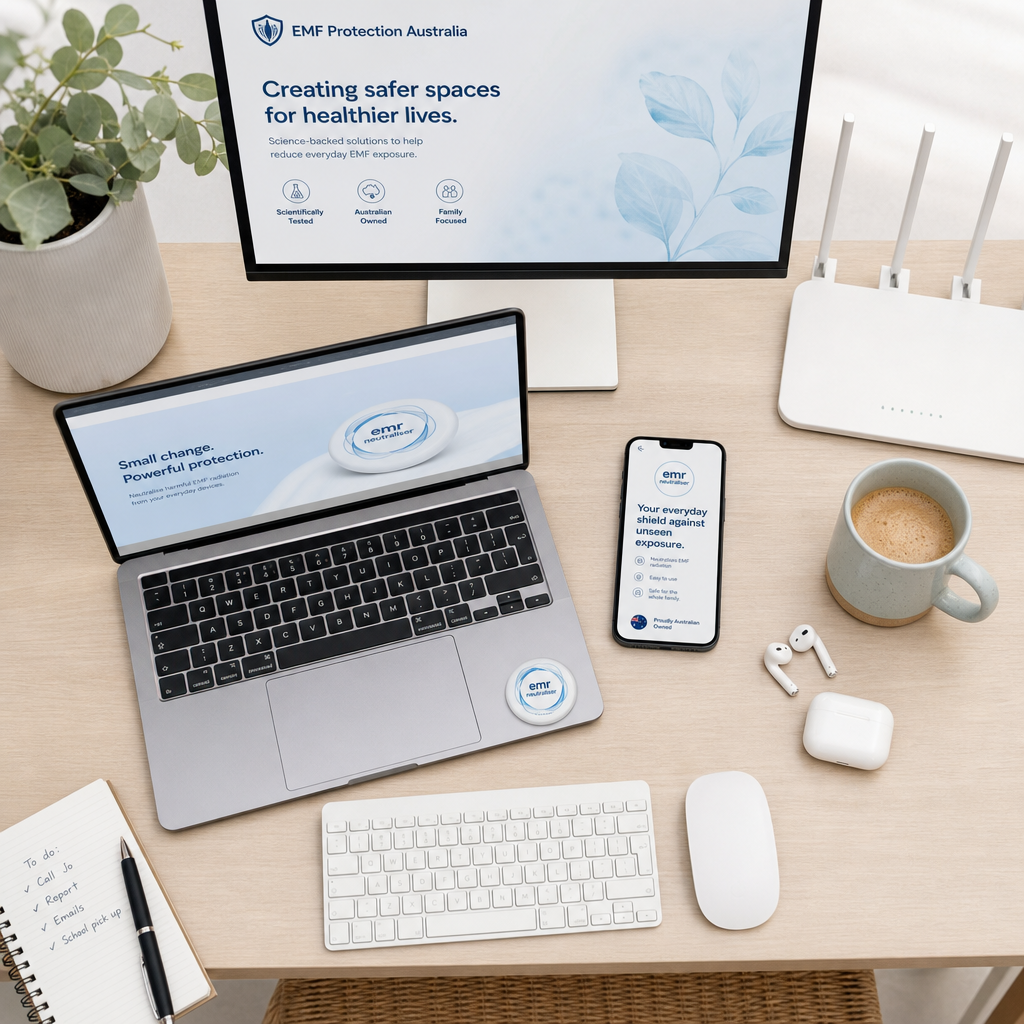
More than 4.5 million Australians now work from home for at least part of their week, according to ABS data from recent labour force surveys. That shift has quietly created one of the most significant changes to our daily electromagnetic environment in a generation. A standard home office setup in 2026 includes a laptop or desktop, one or two external monitors, a WiFi router often sitting on the desk or nearby shelf, a mobile phone, a wireless keyboard and mouse, Bluetooth earbuds, and sometimes a smart speaker or smart TV within the same room. Each of those devices emits electromagnetic fields. Together, operating simultaneously for eight or more hours a day, five days a week, they create a cumulative daily exposure load that bears almost no resemblance to the single-device, short-duration scenarios that most regulatory thresholds are designed around.
This is not a guide built on fear. It is a practical resource for remote workers who want to understand what is happening in their immediate environment and take deliberate steps to address it. The invisible electromagnetic burden carried by a modern home office worker is real, and the question of whether any single device sits below a regulatory threshold is, frankly, the wrong question. The right question is: what is the aggregate effect of sustained, multi-source EMF exposure across an eight-hour workday, day after day? At EMF Neutralizer, we believe the answer matters for your sleep, your energy levels, and your cognitive performance, and that small, informed changes to your setup can produce meaningful differences in how you feel.
This guide covers the main EMF sources in a typical Australian home office, why proximity and duration are the critical variables, practical layout changes you can make today, and the EMF neutralisation products that suit each type of device and environment. For EMF basics and the cumulative-load argument, start with our plain-English EMF radiation explainer or our EMF protection guide. If you want to neutralise your environment and support your biology rather than work against it, this is where to start.
Key Takeaways
- Laptops, WiFi routers, monitors, and Bluetooth peripherals are the primary EMF sources in a home office, and their combined output across an eight-hour workday creates a cumulative daily exposure load that single-device safety standards do not account for.
- Proximity and duration matter more than peak emission intensity. Being 30 cm from a laptop for eight hours is a fundamentally different exposure scenario than standing two metres from a base station for five minutes.
- Simple layout changes, such as repositioning your router, switching from wireless to wired peripherals, and creating physical distance between your body and emission sources, cost nothing and reduce exposure meaningfully.
- EMF neutralisation products from our EMF protection devices collection — device-specific discs, whole-house USB solutions, and workspace mini pillows — provide layered EMF protection across the full range of sources in a home office.
- ARPANSA guidelines are set for acute, single-device exposure, not for the multi-source, chronic exposure reality of a modern home office. Understanding this gap is essential for making informed decisions.
- Children sharing home office or study spaces with parents face a proportionally greater exposure concern, given that their developing nervous systems are more vulnerable to environmental stressors.
Protect your family from EMF exposure
Browse our science-backed neutralizer products.
Shop EMF ProtectionSummary Table: Home Office EMF Sources, Emission Levels, and Recommended Protection
- Typical exposure measure
- 10–200 mG ELF magnetic field at lap/desk level
- Key exposure factor
- Direct body contact or close proximity for hours
- Recommended protection
- EMF Neutralizer Disc applied to device
- Typical exposure measure
- 1–4 V/m RF at 1 metre
- Key exposure factor
- Continuous broadcast, whole-room coverage
- Recommended protection
- Aulterra Whole House USB + EMF Neutralizer Disc on router
- Typical exposure measure
- 2–20 mG ELF magnetic field at typical viewing distance
- Key exposure factor
- Extended daily viewing at 40–60 cm
- Recommended protection
- EMF Neutralizer Disc applied to monitor
- Typical exposure measure
- 0.5–1.6 W/kg SAR during calls/data (limit 2 W/kg)
- Key exposure factor
- Proximity during transmission; background activity on desk
- Recommended protection
- Phone protection guide
- Typical exposure measure
- 1–2 mW transmission power
- Key exposure factor
- Persistent low-level, very close to hands/ears
- Recommended protection
- EMF Neutralizer Disc or Mini Pillow nearby
- Typical exposure measure
- 1–6 V/m RF at 1 metre (during pulses)
- Key exposure factor
- Pulsed bursts throughout the day
- Recommended protection
- Aulterra Whole House USB + EMF Neutralizer Disc on meter panel
- Typical exposure measure
- Additive across all sources
- Key exposure factor
- Sustained cumulative daily exposure
- Recommended protection
- Layered protection across all devices
Ranges are approximate and vary by device model, usage, and distance. mG = milligauss (ELF magnetic field); V/m = volts per metre (RF electric field); SAR = specific absorption rate for mobile phones.
The Home Office EMF Problem in Australia
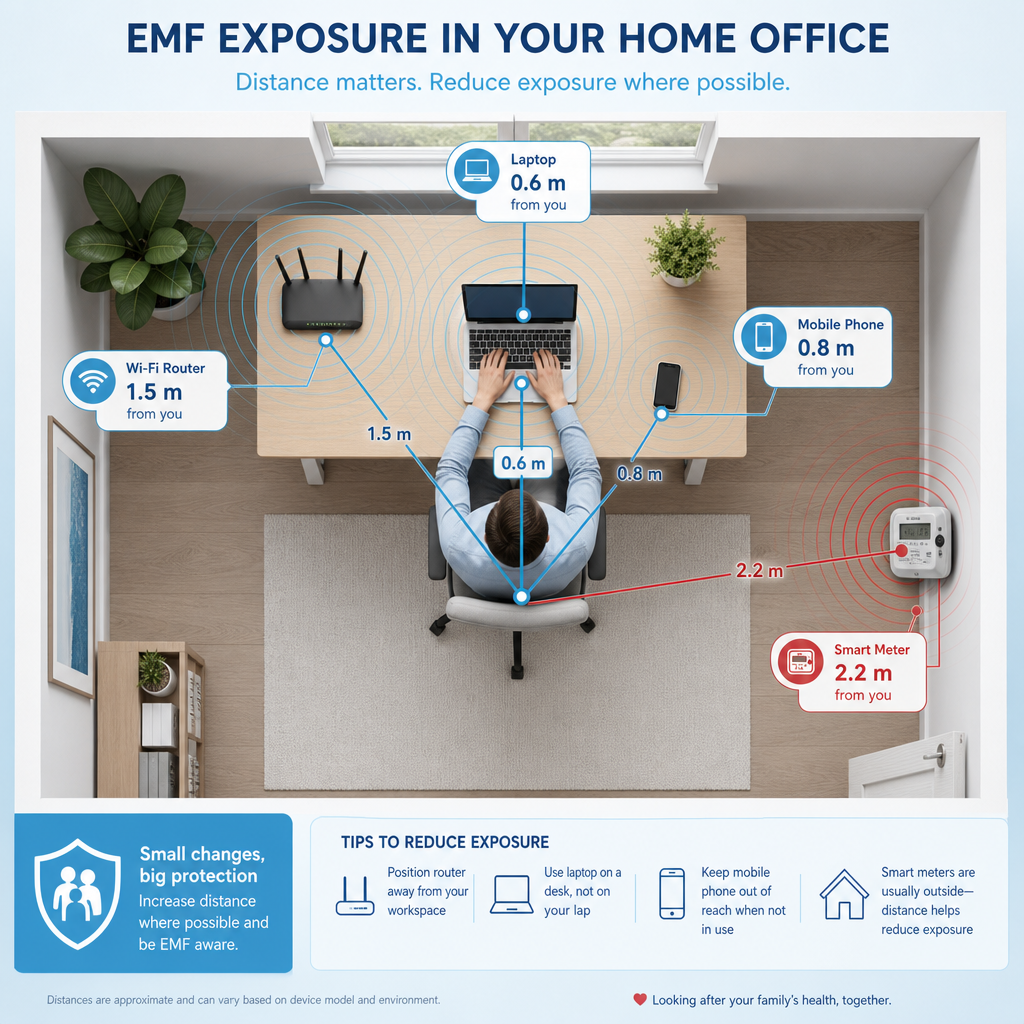
Australia's remote work transformation has been one of the more significant structural shifts in the country's labour market in decades. ABS Household Impacts of COVID-19 Survey data and subsequent labour force supplements have tracked the proportion of employed Australians working from home at least some of the time, with figures consistently sitting above 40% of the employed workforce in capital cities as of 2026. In absolute terms, that translates to roughly 4.5 to 5 million people spending meaningful portions of their working week in a home environment not originally designed with sustained electronic device use in mind.
The critical difference between a corporate office environment and a home office is density and proximity. In a large open-plan office, a centralised WiFi access point might serve 50 or more users spread across hundreds of square metres. In a home office, the same or more powerful router sits two metres from a single person's head. In a corporate setting, the server infrastructure is in a dedicated room on another floor. In a home office, the device generating the most sustained EMF is sitting on the desk directly in front of the worker, or on their lap.
The Australian Radiation Protection and Nuclear Safety Agency (ARPANSA) sets the regulatory framework for radiofrequency EMF exposure in Australia, referencing the international ICNIRP guidelines. These thresholds are based on acute thermal effects and are designed to prevent tissue heating from a single device. What they do not model is the real-world scenario of a person simultaneously exposed to a laptop, a monitor, a router, a phone, and Bluetooth peripherals for eight or more hours a day. That is not a criticism of ARPANSA, it is simply an acknowledgement of what the guidelines were designed to measure and what they were not.
At EMF Neutralizer, our position is direct: the aggregate daily burden is the relevant measure. A device that falls comfortably within ARPANSA guidelines in isolation may still contribute meaningfully to a total environmental load that the body registers over time. The qualitative patterns we see in customer feedback — sleep improvements, fewer persistent headaches, less afternoon mental fatigue — are consistent with the view that addressing cumulative daily exposure can make a real difference even when no single device would be classified as non-compliant on its own. Individual results vary.
Common EMF Sources at Your Home Office Desk
Laptop Computers
The laptop is arguably the most significant single EMF source for a home office worker, not because its emissions are uniquely high, but because of proximity and duration. When a laptop sits on a desk 30 to 40 centimetres from your body, or worse, directly on your lap, you are in the strongest part of the device's electromagnetic field for the entire working day. Measured magnetic field strength at lap level typically ranges from 10 to 200 milligauss depending on the device and what it is doing. Processing-intensive tasks, video calls, and charging all push emissions higher. For context, research examining EMF and occupational exposure has flagged 2 milligauss as a threshold of interest for prolonged daily exposure, meaning a laptop on your lap during a video call can exceed that by a factor of 50 or more.
The practical implication is that even if you do nothing else, getting your laptop off your lap and onto a desk, and ideally using a wired external keyboard to maintain greater distance from the device, is a free first step. From there, applying an EMF Neutralizer Disc directly to the laptop addresses the device-level emission at the source.
External Monitors
External monitors emit lower-frequency EMF, primarily from the display electronics and backlight components. At a typical viewing distance of 50 to 60 centimetres, measured magnetic field strength generally falls in the 2 to 20 milligauss range. Workers using large monitors positioned closer than standard, or using two monitors simultaneously, are in multiple emission fields at once. Over an eight-hour day, the total daily exposure from monitors is not trivial, particularly when stacked on top of the laptop, phone, and router fields that are already present.
WiFi Routers
The WiFi router is the device that most dramatically distinguishes the home office from a typical residential living environment. In a family home, the router might sit in a hallway or living room and people move through that space intermittently. In a home office, the router is often placed on or near the desk to maximise signal strength, which also maximises the worker's proximity to one of the highest-output continuous EMF sources in the home.
Modern WiFi 6 and the emerging WiFi 7 routers broadcast on multiple bands simultaneously and maintain that broadcast continuously regardless of whether devices are actively transferring data. Measured radiofrequency field strength at one metre from a typical dual-band router ranges from 1 to 4 V/m, and in some mesh network configurations across multiple units in a smaller home, the total environmental field is considerably higher.
Relocating your router to the far side of the room, or ideally to an adjacent room, is one of the highest-impact free changes available to a home office worker. For product protection, apply an EMF Neutralizer Disc to the router and plug the Aulterra Whole House USB into a wall outlet via a USB adaptor to neutralise remaining emissions and extend coverage through your home wiring.
Mobile Phones
The mobile phone used in a home office context presents a dual concern. First, the device itself emits radiofrequency radiation during calls and data transfers, with SAR (Specific Absorption Rate) values for Australian market phones regulated at a maximum of 2 W/kg averaged over 10 grams of tissue. Second, the phone sitting on the desk between calls is still actively searching for signal, receiving notifications, and in many cases running Bluetooth connections to peripherals. That background activity represents a continuous low-level emission source at very close range to the worker's hands and body. Our dedicated phone protection guide covers this in more detail.
Bluetooth Peripherals
Wireless keyboards, mice, headsets, and earbuds use Bluetooth low-energy protocols, which have relatively low transmission power (typically 1 to 2 milliwatts for Class 2 devices). On a per-device basis, these are among the lower-output EMF sources in the office. The concern is cumulative. A worker using a Bluetooth keyboard, mouse, and headset simultaneously is in three additional electromagnetic fields throughout the day, and the headset or earbuds are positioned directly against or in the ear canal, which is one of the closest possible proximities to the brain. Switching to wired peripherals where possible is the simplest mitigation.
How Prolonged Exposure Differs from Casual Use
The distinction between casual device use and sustained occupational exposure is not merely quantitative. It is qualitative. Most people accept that brief, intermittent exposure to any environmental stressor is fundamentally different from chronic, uninterrupted exposure to the same stressor. We apply that logic to noise, air quality, and UV radiation without controversy. The same principle applies to EMF.
Regulatory thresholds, including ARPANSA's reference levels, are derived from occupational and general public exposure limits designed around the worst-case acute scenario: maximum output device, direct proximity, limited duration. They are not derived from modelling the cumulative daily burden of a knowledge worker sitting in a 10-square-metre home office surrounded by six to eight simultaneously operating devices for 40 or more hours per week.
Peer-reviewed research has repeatedly noted that existing safety standards do not address chronic, low-level, multi-source exposure. A 2021 review published in Environmental Research examined the evidence around long-term, low-intensity radiofrequency EMF exposure and flagged biological responses including oxidative stress markers at field levels below ICNIRP thresholds in some experimental conditions. This does not mean every home office worker is at acute risk. It does mean the precautionary principle is well-founded, and that taking practical steps to reduce cumulative daily exposure is a rational response to genuine scientific uncertainty.
I work with people who have been dismissive of EMF concerns until they made changes to their environment and experienced a noticeable shift. One home office example — expanded in the case study below — involved persistent headaches and afternoon concentration decline in a compact workspace surrounded by a laptop, monitor, phone, and wireless peripherals. After applying Neutralizer Discs to each device, headache frequency dropped by an estimated 70 to 90 percent over four weeks, with no changes to workload, diet, or sleep. Individual results vary.
Practical Layout Changes to Reduce Home Office EMF Exposure
Before you invest in any product, there are several free changes to your home office layout that will meaningfully reduce your cumulative daily exposure. These are not substitutes for EMF neutralisation, but they are the logical first step.
Create distance between your body and your router. Every metre of additional distance between you and your router reduces your exposure to its radiofrequency emissions substantially. If your router currently sits on or near your desk, move it to a shelf on the opposite wall, or into an adjacent room if your signal strength allows. This single change, which costs nothing, can be one of the most impactful adjustments you make.
Use a wired Ethernet connection wherever possible. A wired connection eliminates the need for your laptop or desktop to maintain a continuous WiFi radio link. It also, on most routers, reduces the intensity of the broadcast your router needs to sustain because active wired connections demand less from the wireless transmitter.
Switch to wired peripherals. Replace your Bluetooth keyboard, mouse, and headset with USB-wired equivalents. The performance difference is negligible for most tasks, and you remove three persistent emission sources from your immediate environment.
Do not place your laptop on your lap during intensive tasks. Use a desk or a laptop stand to maintain at least 30 to 40 centimetres of distance between the device and your body. Add an external keyboard so your hands are not resting on the laptop chassis during long working sessions.
Position your phone away from your body between calls. Place it on a surface at arm's length rather than directly beside your keyboard. When on calls, use a wired headset rather than holding the device against your head.
Assess your smart meter proximity. Many Australian homes have had smart meters installed as part of state government energy programmes over the past decade. If your home office is near your electrical switchboard or meter box, you may be in the daily emission field of a device that pulses radiofrequency signals at regular intervals throughout the day. During those bursts, measured RF at about one metre can reach roughly 1 to 6 V/m depending on meter type and wall construction. Check the physical location and consider whether your desk can be positioned further from that wall.
EMF Neutralisation Products for the Home Office
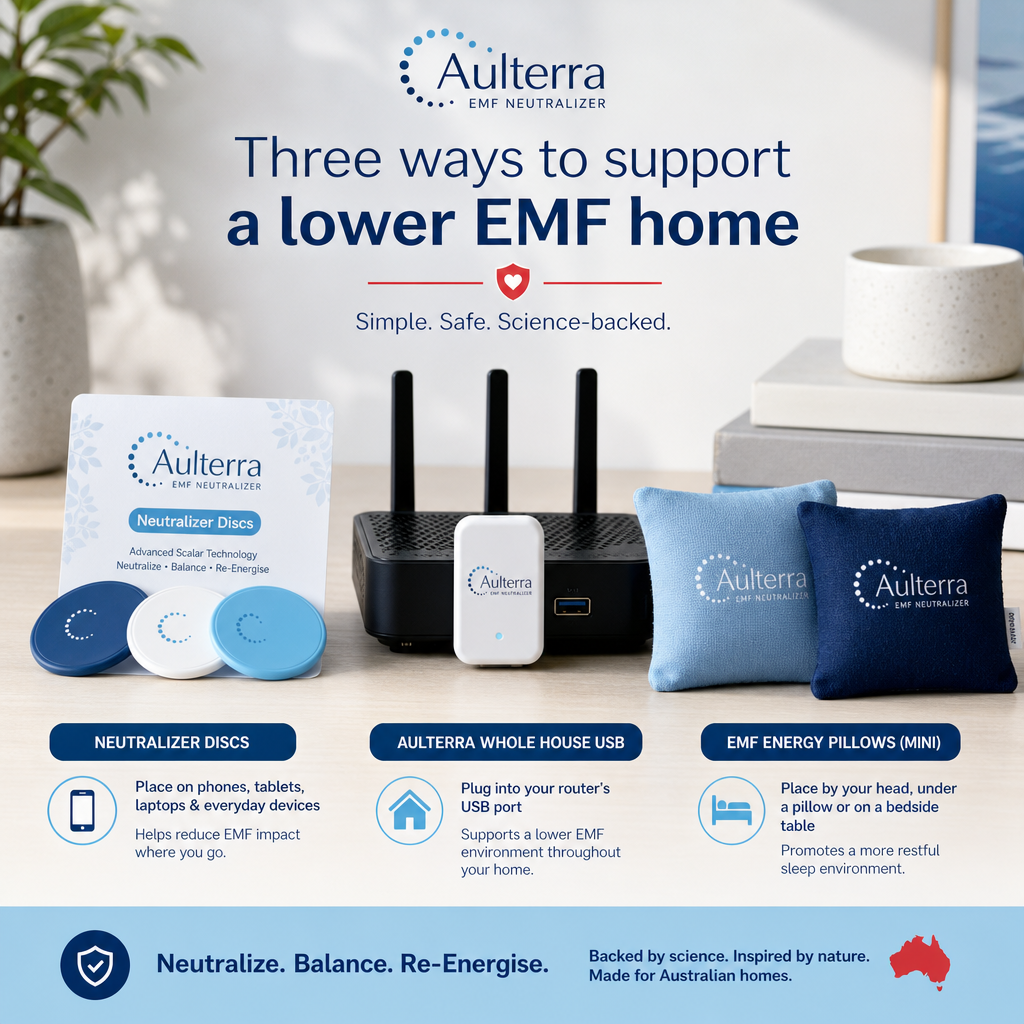
Layout changes reduce exposure by increasing distance. EMF neutralisation products work differently. Rather than blocking or shielding emissions, which is impractical for devices you need to use, neutralisation products retune incoherent electromagnetic fields toward a more coherent state, reducing disruptive biological interaction without degrading device function. The science and evidence behind this approach is covered in depth on our website, but the practical application in a home office context breaks down across three product types.
EMF Neutralizer Discs for Individual Devices
The EMF Neutralizer Disc is the core product for addressing device-level emissions. Each disc is applied directly to the surface of a device, laptop, monitor, mobile phone, tablet, desktop tower, or router, and works continuously from that point. For a typical home office setup, you would apply discs to your laptop, your external monitor or monitors, your mobile phone, your router, and any other high-use devices in your immediate workspace.
The logic is straightforward. Your primary EMF sources are stationary, you know where they are, and you can address each one directly. A disc on your laptop and a disc on your monitor places neutralisation at the two highest-contact, highest-duration sources in your immediate environment. Combined with a disc on your phone, you have addressed the three devices most likely to be within 50 centimetres of your body throughout the workday.
Aulterra Whole House USB for Router and Home Wiring
The Aulterra Whole House USB is designed specifically for the kind of distributed EMF environment a home creates. Plugged into a wall outlet via a USB adaptor, it works through the electrical wiring of your home to extend its neutralising effect across the broader electromagnetic environment, including the output of the router itself, the smart meter signal entering through your wiring, and the ambient fields created by the home's electrical circuit. For the router, pair the USB with a Neutralizer Disc applied directly to the device.
For home office workers, this is the product that addresses the EMF sources that device-specific discs cannot reach: the continuous broadcast of the router, the background hum of household wiring, and the pulsed signals from smart meters or nearby infrastructure. Pairing the Whole House USB with individual discs on your devices gives you genuinely layered EMF protection across both the point sources and the environmental background.
Mini EMF Energy Pillows for Workspace Ambient Protection
The Mini EMF Energy Pillows are designed for placement within the workspace itself, on the desk surface, on a nearby shelf, or within the immediate working area. They also work as personal protection when kept close to the body — in a pocket, purse, or bra — which is useful when you step away from the desk or work from different spots in the home. They complement device-specific discs by contributing to the neutralisation of the ambient field in the space where you spend your working hours. For workers whose home office also functions as a bedroom or living space, the mini pillows are particularly useful as they continue to work in that space around the clock, not only during working hours.
The recommended approach for a comprehensive home office setup is to use all three product types in combination: discs on each primary device (including the router), the Whole House USB plugged into a wall outlet via a USB adaptor, and one or two mini pillows on or near the desk — or carried for personal protection when you move around the home. This layered approach addresses device-level emissions, network and wiring-level fields, and the ambient electromagnetic environment of the room itself.
Real Outcomes: What Layered Protection Looks Like in Practice
The following are illustrative accounts drawn from typical customer experiences we see in home and home office settings. They are not controlled clinical data. Individual results vary.
Case Study 1: The Family Home with Multiple Routers and a Smart Meter
I was working with a family in suburban Australia who had been experiencing persistent sleep disturbances and low daytime energy for several months. The home had multiple WiFi routers, a range of smart devices, and a smart meter on the exterior wall adjacent to one of the bedrooms. Their setup was not unusual for a modern Australian household in 2026, but the combination created an elevated electromagnetic environment throughout the home, and particularly in the sleeping areas.
We applied Neutralizer Discs to the primary devices in the home: the WiFi router, the smart meter panel, and the family's mobile phones. This created layered coverage across the most significant emission sources. Within the first two weeks, the family reported a noticeable improvement in sleep quality. Daytime fatigue, which had been a persistent issue, dropped by an estimated 60 to 80 percent based on their own self-reported measures. Individual results vary. The change was significant enough that the family subsequently moved to protect their workplace environments as well.
Case Study 2: The Home Office Worker with Headaches and Afternoon Fatigue
The second example I described earlier bears expanding in this context. The individual involved was working a standard eight-hour day in a home office with a laptop, an external monitor, a mobile phone on the desk, and wireless keyboard and mouse. The workspace was compact, meaning all of these devices were within 50 to 80 centimetres of their body for the duration of the working day. Persistent headaches and a reliable drop in concentration by early afternoon had been affecting their productivity for months before we spoke.
Following the application of Neutralizer Discs to the laptop, monitor, and phone, plus a Whole House USB plugged into a wall outlet via a USB adaptor near the router, headache frequency dropped by an estimated 70 to 90 percent over a four-week period. The afternoon concentration decline improved markedly. Their description of the change was that the mental fatigue that used to set in around 2 pm had largely stopped occurring. Nothing else changed in their routine during that period. Individual results vary.
Across our customer base, we see estimated reductions in perceived EMF-related fatigue of 60 to 85 percent following product application, and estimated reductions in headache frequency of 70 to 90 percent in high-device environments. These are qualitative, self-reported outcome descriptions, not controlled clinical data, and individual results vary.
Building Your Complete Home Office EMF Protection Plan
If you want to take control of your immediate environment and address the full range of EMF sources in a typical Australian home office, the approach I recommend follows a logical sequence.
Start with the layout changes described above. These cost nothing and establish the best possible baseline before any product is applied. Then address your devices in order of proximity and duration: laptop first, monitor second, mobile phone third. Apply discs to each. Then address the router with a Neutralizer Disc and plug the Whole House USB into a wall outlet via a USB adaptor. Finally, add mini pillows to your desk area to complete the layered coverage.
For families where children are doing schoolwork in or adjacent to the home office, this layered approach is particularly important. Children's developing nervous systems are more sensitive to environmental stressors, and the normalisation of laptops and tablets in children's education means many Australian kids are accumulating significant daily device exposure from a young age. Treating the home environment holistically rather than device-by-device ensures the protection extends to everyone in the space.
If you want to discuss your specific setup and get a tailored recommendation, contact the team at EMF Neutralizer. We work through these setups regularly and can help you prioritise where to start based on your specific devices, layout, and concerns.
EMF Neutralizer products are not a cure for any medical condition. If you are experiencing persistent symptoms that concern you, see a general practitioner. The improvements people describe are their subjective experience after reducing or neutralising their EMF load. Individual results vary.
Your home should work with you, not against you. The invisible electromagnetic burden of a modern home office is manageable with the right approach, and the difference in how you feel day to day is worth the effort of addressing it properly.
References
- Australian Bureau of Statistics, Working arrangements — Labour force and household survey data on remote and hybrid work in Australia.
- ARPANSA, Radiation Protection Standard for Maximum Exposure Levels to Radiofrequency Fields - 3 kHz to 300 GHz (RPS S-1) — Primary Australian regulatory framework for RF exposure limits.
- ICNIRP, Guidelines for limiting exposure to electromagnetic fields (100 kHz to 300 GHz) — International reference levels underlying ARPANSA RF standards.
- WHO, Radiation and health: wireless technologies — WHO overview of RF sources including Wi-Fi and mobile networks.
- Bandara, P. and Carpenter, D.O. (2018), Planetary electromagnetic pollution: It is time to assess its impact, The Lancet Planetary Health — Commentary on cumulative EMF exposure and regulatory gaps (peer-reviewed).
Stay informed on EMF wellness
Get practical tips and product updates in your inbox.
Frequently asked questions
Does our "emf protection for home office australia" guide explain whether laptop EMF is a concern during an eight-hour workday?
Yes. This guide explains that regulatory limits are set around acute, single-device exposure scenarios, while an eight-hour laptop workday in a multi-device home office represents cumulative daily exposure those limits were not designed to assess. The total electromagnetic environment you sit in for 40-plus hours a week is the relevant measure, not whether any single device exceeds an individual threshold in isolation.
Where should I position my WiFi router in a home office?
Position your WiFi router as far from your primary working position as practical signal strength allows. The opposite side of the room at minimum, an adjacent room ideally. Every additional metre of distance substantially reduces your radiofrequency exposure from a continuously broadcasting router. Combine relocation with a Neutralizer Disc on the router and the Aulterra Whole House USB plugged into a wall outlet via a USB adaptor for neutralisation of remaining emissions.
I have multiple devices running simultaneously. Does that multiply the risk?
The fields from multiple simultaneous sources are additive in terms of total electromagnetic environment. Addressing multiple devices individually and addressing the background field of the home with layered EMF protection is more effective than addressing a single device in isolation, because a home office is a multi-source environment and needs to be treated as such.
Do EMF neutralisation products interfere with device performance?
No. EMF Neutralizer products do not block, absorb, or physically interrupt electromagnetic fields in a way that would degrade device function. WiFi connectivity, Bluetooth pairing, mobile signal, and device processing all operate normally with neutralisation products applied.
Can children use the home office safely?
Children's developing nervous systems are considered more vulnerable to environmental stressors, including EMF exposure. If children are doing schoolwork on laptops or tablets in or adjacent to your home office, applying layered protection to their devices and the shared environment is appropriate. Discs on their devices and a Mini EMF Energy Pillow near their workspace are practical starting points, alongside encouraging wired headsets over wireless earbuds.
Are ARPANSA guidelines sufficient protection for home office workers?
ARPANSA guidelines provide a regulatory floor based on acute exposure research. They are not designed to address the cumulative daily exposure reality of a modern home office with multiple simultaneously operating devices. For home office workers spending eight or more hours a day in a multi-device environment, the precautionary principle supports taking additional practical steps beyond regulatory compliance.
How do I know which products to start with if I have a limited budget?
Prioritise by proximity and duration. Start with a disc on your laptop as the highest-priority device. Second, address your router with a Neutralizer Disc and the Aulterra Whole House USB. Third, add a disc to your mobile phone. From there, discs on your monitor and Mini Energy Pillows for your workspace complete the full layered setup.
What is the difference between EMF shielding and EMF neutralisation?
EMF shielding physically blocks or redirects electromagnetic fields using conductive or reflective materials. This approach has limitations: it cannot practically be applied to devices in active use and can create reflection effects that redistribute fields unpredictably. EMF neutralisation works by retuning incoherent electromagnetic fields toward a more coherent state, reducing disruptive biological interaction rather than blocking the signal, making it practical for application to devices in daily use.
Richard Kent
Science-backed EMF wellness education from the EMF Neutralizer team.
Related articles
iPhone vs Android EMF Output: Which Phone Is Actually Safer in Australia?
Direct Answer: Neither iPhone nor Android phones are meaningfully safer by SAR rating. Both must meet Australia's 2.0 W/kg limit, a standard enforced by ACMA an…
Best EMF Protection Sticker for Your Phone in Australia: An Honest Review and Comparison
The best 'EMF protection sticker' for an Australian phone user is the Aulterra Neutralizer Discs 3-Pack — small adhesive discs applied one per device, starting…

Do EMF Pendants Actually Work? An Honest Answer for Australians
EMF pendants are not designed to block or shield electromagnetic fields the way a bed canopy, Faraday enclosure, or device pouch does. They are designed to harm…